Reminders
You can configure automatic reminder notifications for your customers to make sure they don’t miss their events.
Reminders are a great way to reduce no-shows and improve the customer experience.
How to Access Reminder Settings
Go to Settings in your dashboard.
Click Reminders
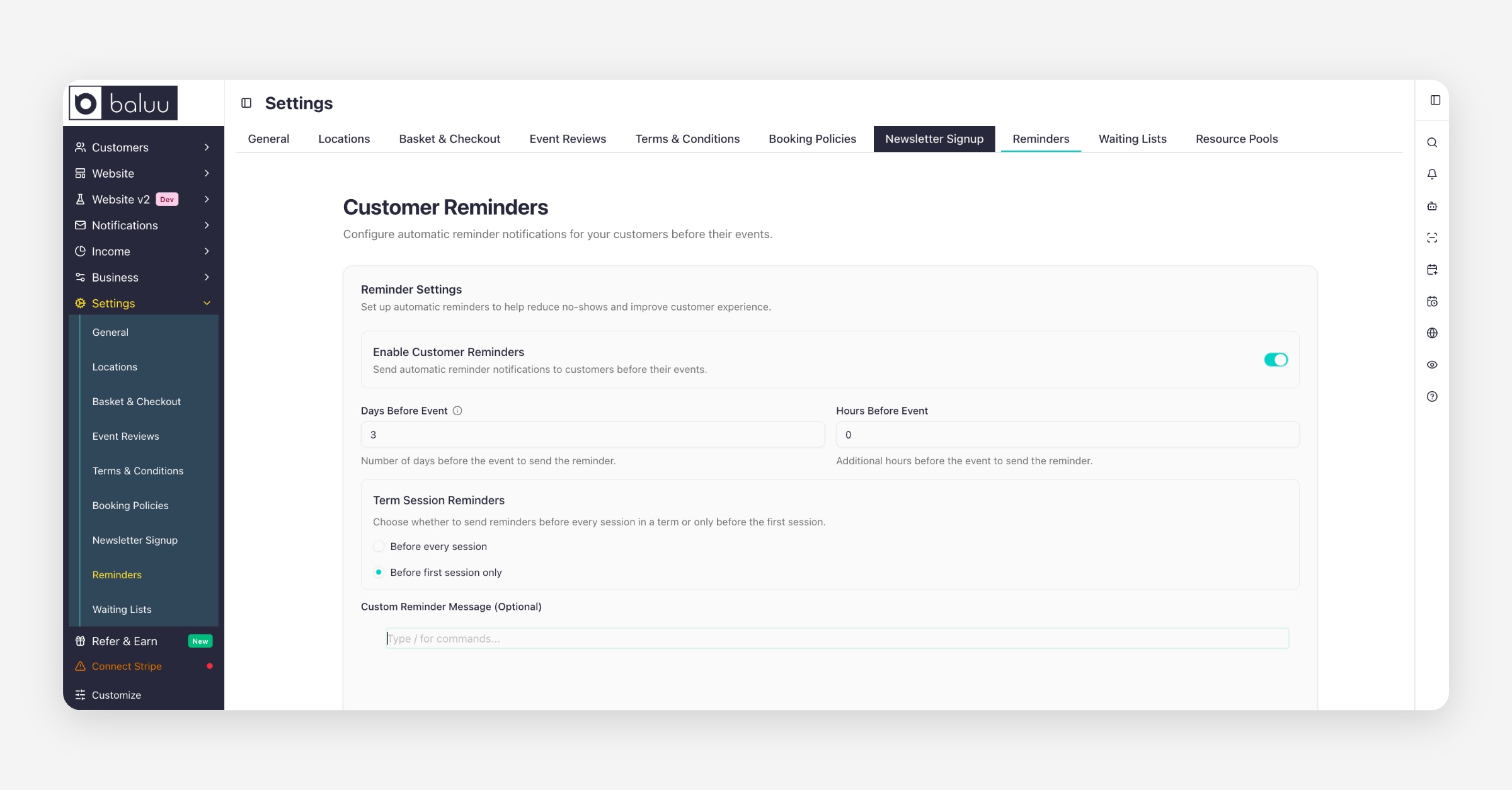
Reminder Settings
In this section, you can set up automatic reminders to be sent out before each event.
By default, reminders are scheduled to go out 3 days before the event.
You can change this to another timing that works for you
This flexibility means you decide when customers should receive their reminders.
Disabling Reminder Emails
If you do not wish to send reminder emails, you can disable them completely by turning off the reminder toggle and clicking Save Changes.
Once disabled, no automatic reminder emails will be sent to customers.
Pre-Event Notes in Reminders
If you’ve added Pre-Event Notes to your event, these will automatically be attached to the reminder emails.
This ensures that customers not only get reminded about their booking but also receive all the important information (such as venue details, what to bring, or special instructions).
Please note: Any changes you make here will apply to all of your events. If you run more than one event, we recommend leaving the reminder message blank and only setting the reminder time. For customised content, use Pre-Event Notes, which will automatically be included in the reminder emails.
Was this helpful?