How to Use Your Bundle (Customer Guide)
After purchasing a bundle, you’ll receive a confirmation email in your inbox.
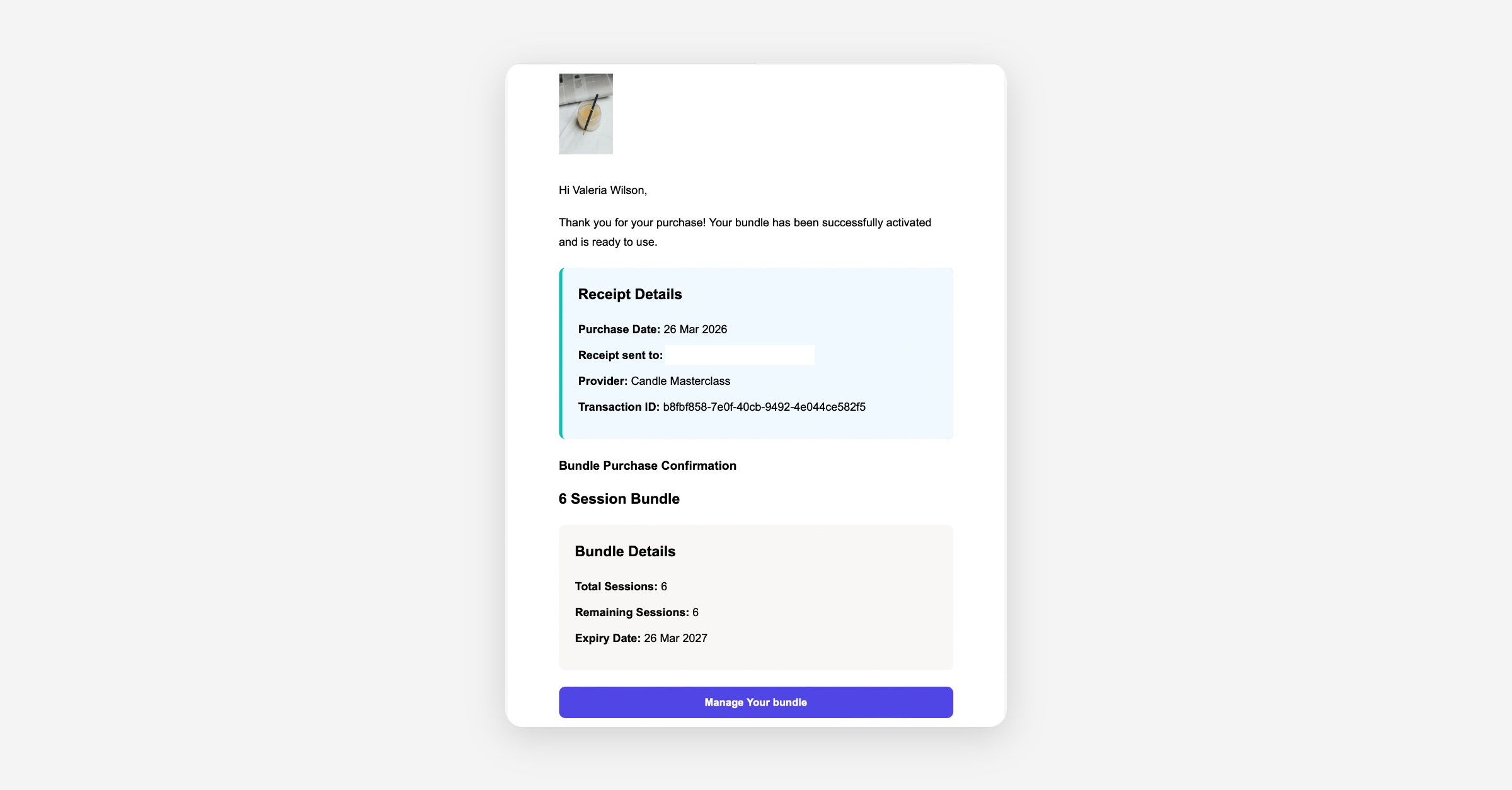
Option 1: Use the "Manage Your Bundle" Link
Open the confirmation email.
Click Manage Your Bundle.
This will take you to your personalised Bundle Management page, where you can:
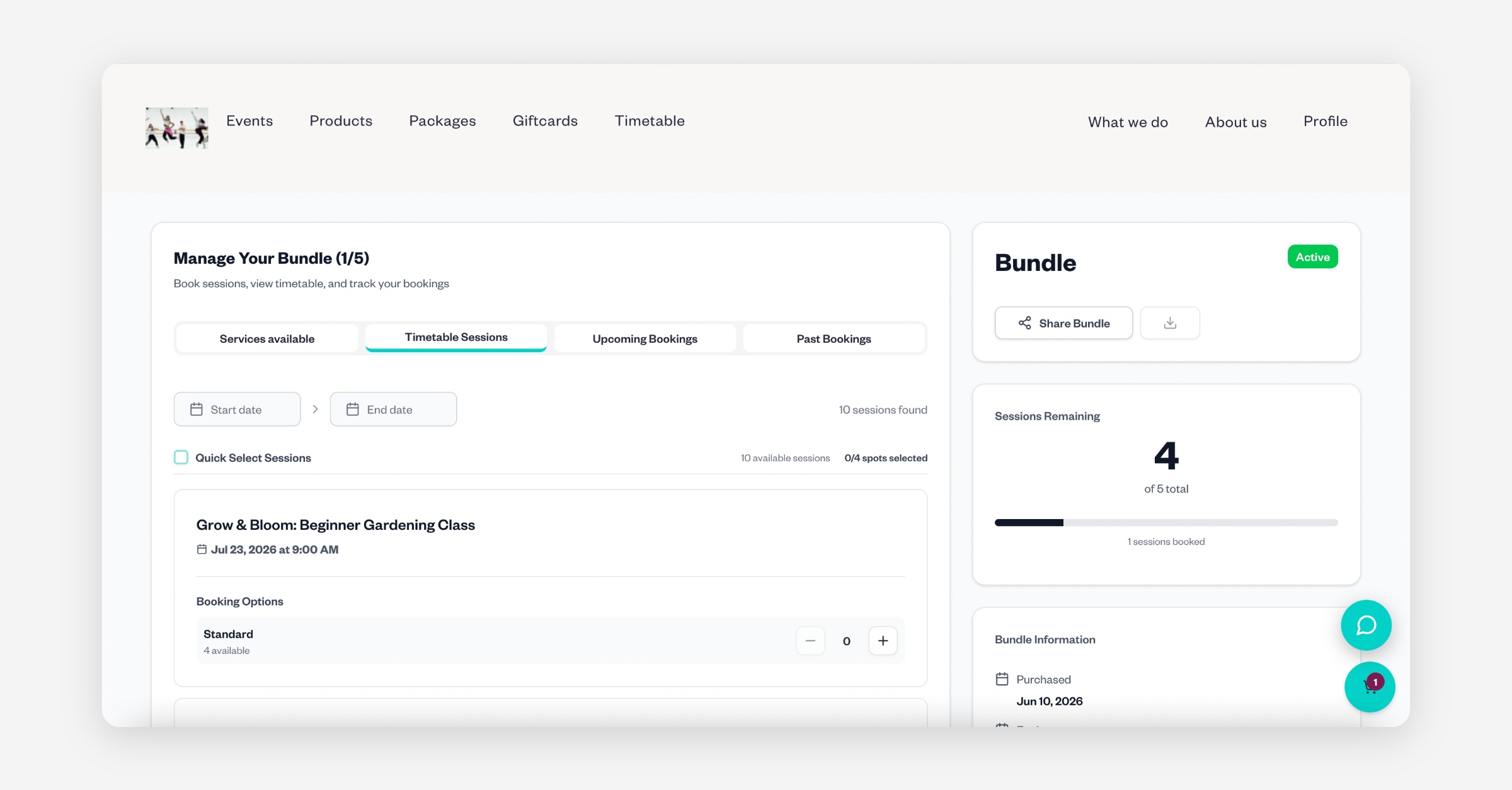
View Services Available
Browse Timetable Sessions
See your Upcoming Bookings
View your Past Bookings
Check your bundle information, including:
Purchase date
Expiry date
Remaining sessions/credits
Booking from the Services Available tab
Find the session you'd like to book and click Book Now.
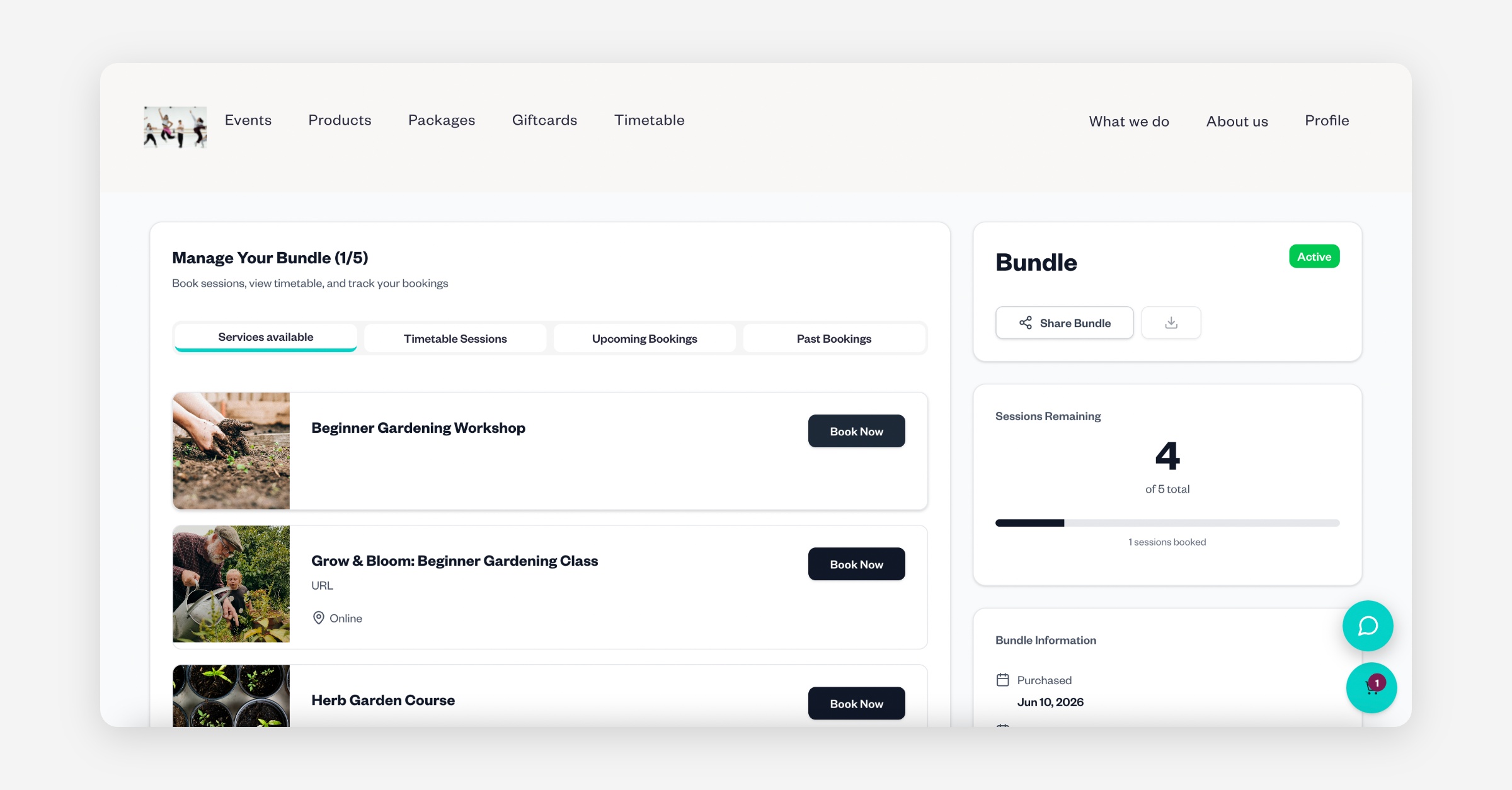
You'll be taken to the standard booking page.
Select your date and ticket.
Complete any booking questions (if applicable).
Click Proceed to Checkout.
At checkout, the system will initially display a payment amount. Instead of paying, scroll to the Payment Method section and select:
Have a bundle or membership?
Click Log in and sign in using the same email address you used to purchase the bundle.
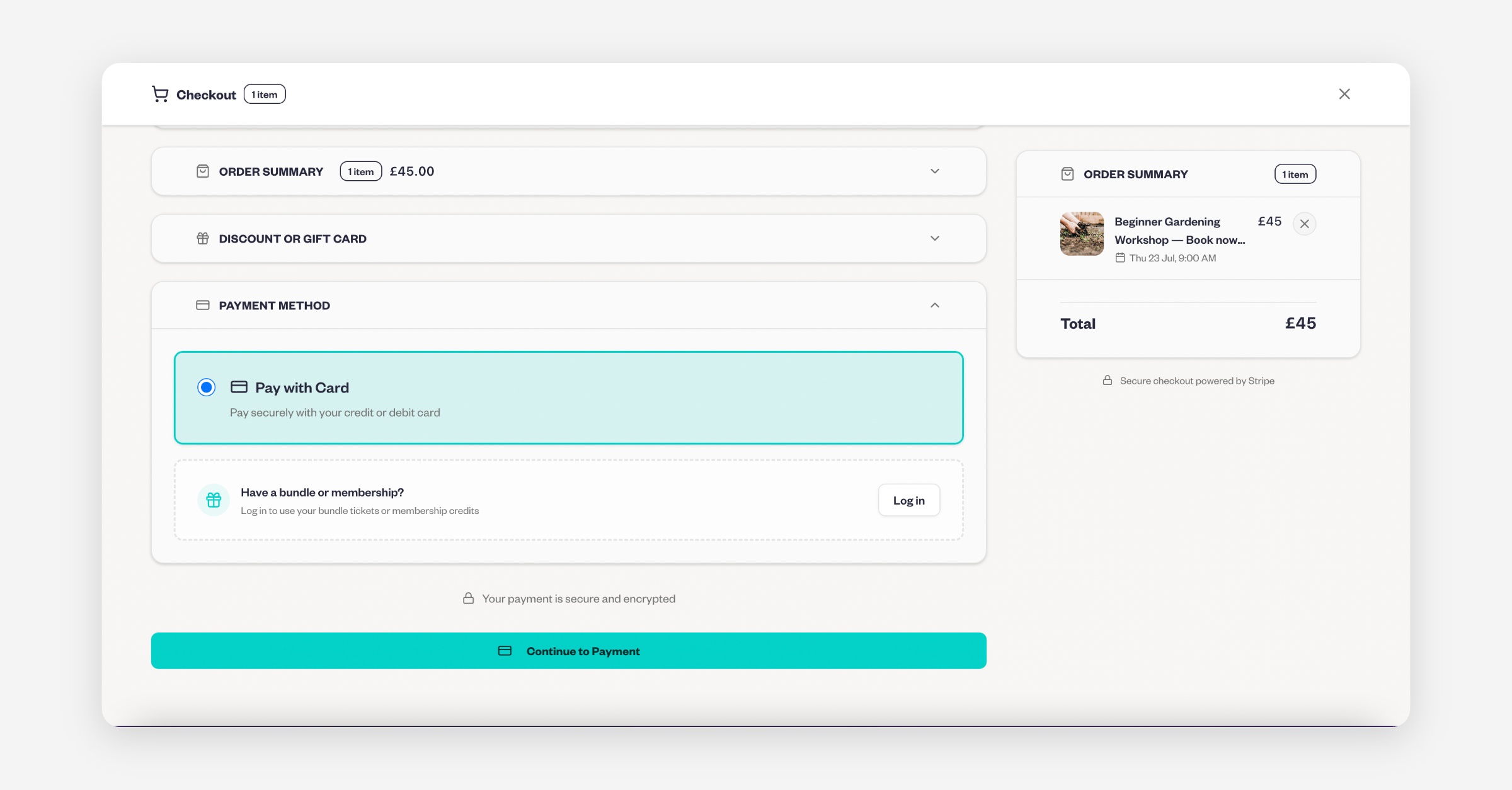
Once logged in, you'll see any active bundles linked to your account. Select the bundle you'd like to use, and your booking will be paid for using your available bundle credits.
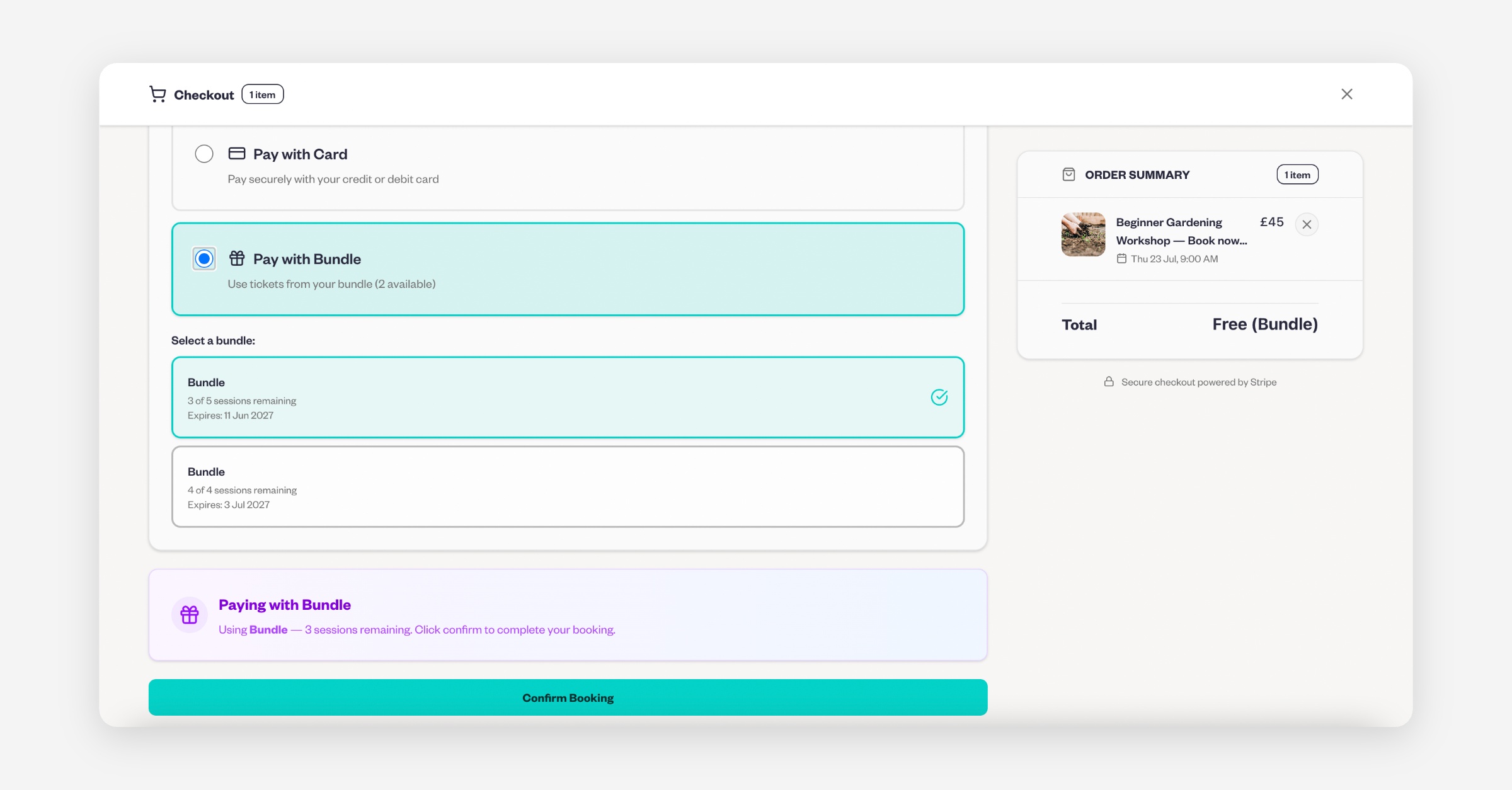
Option 2: Book from the Timetable Sessions tab
Alternatively, you can book directly from the Timetable Sessions tab on the Bundle Management page.
Select your desired session.
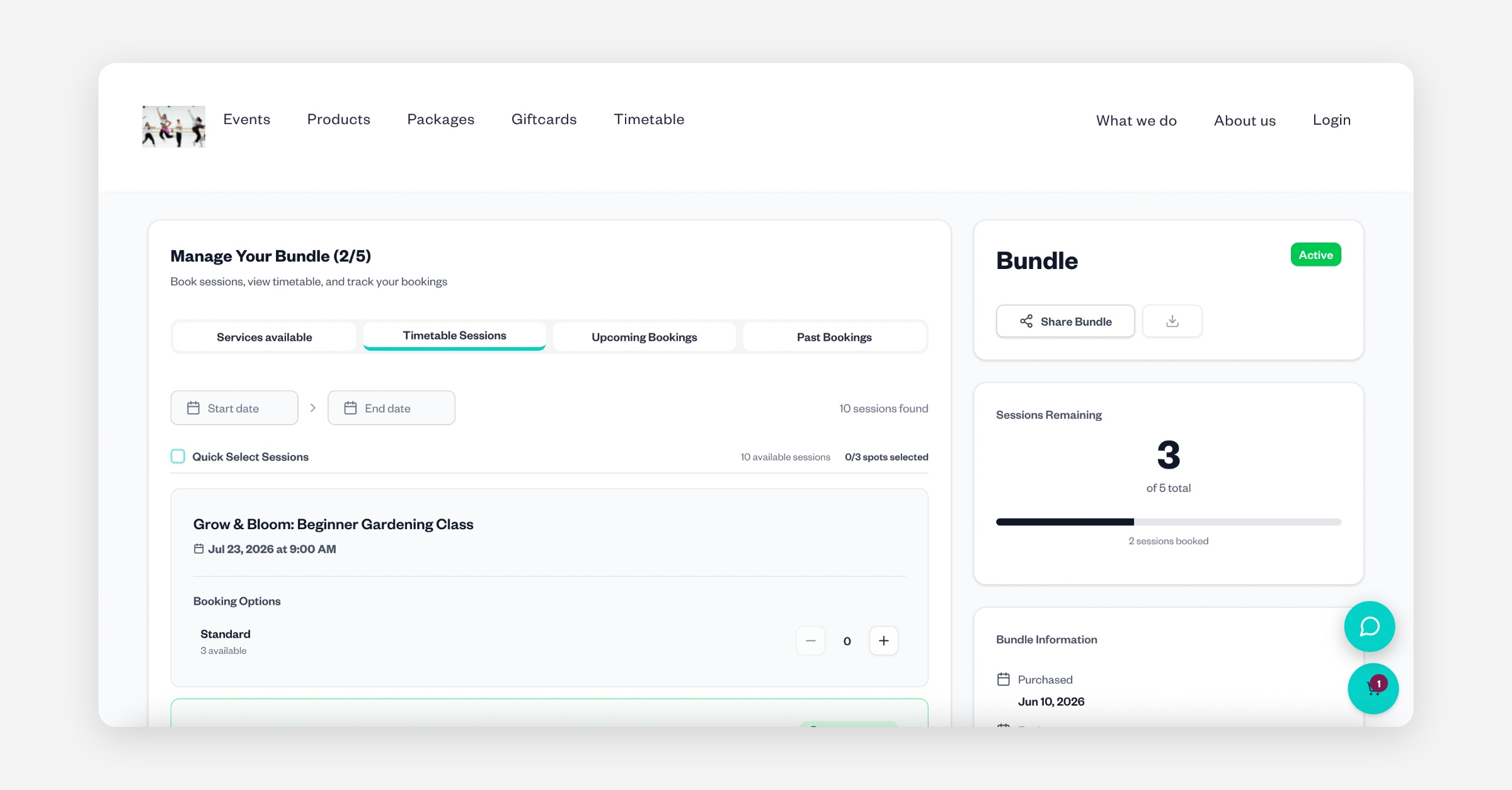
Answer any booking questions.
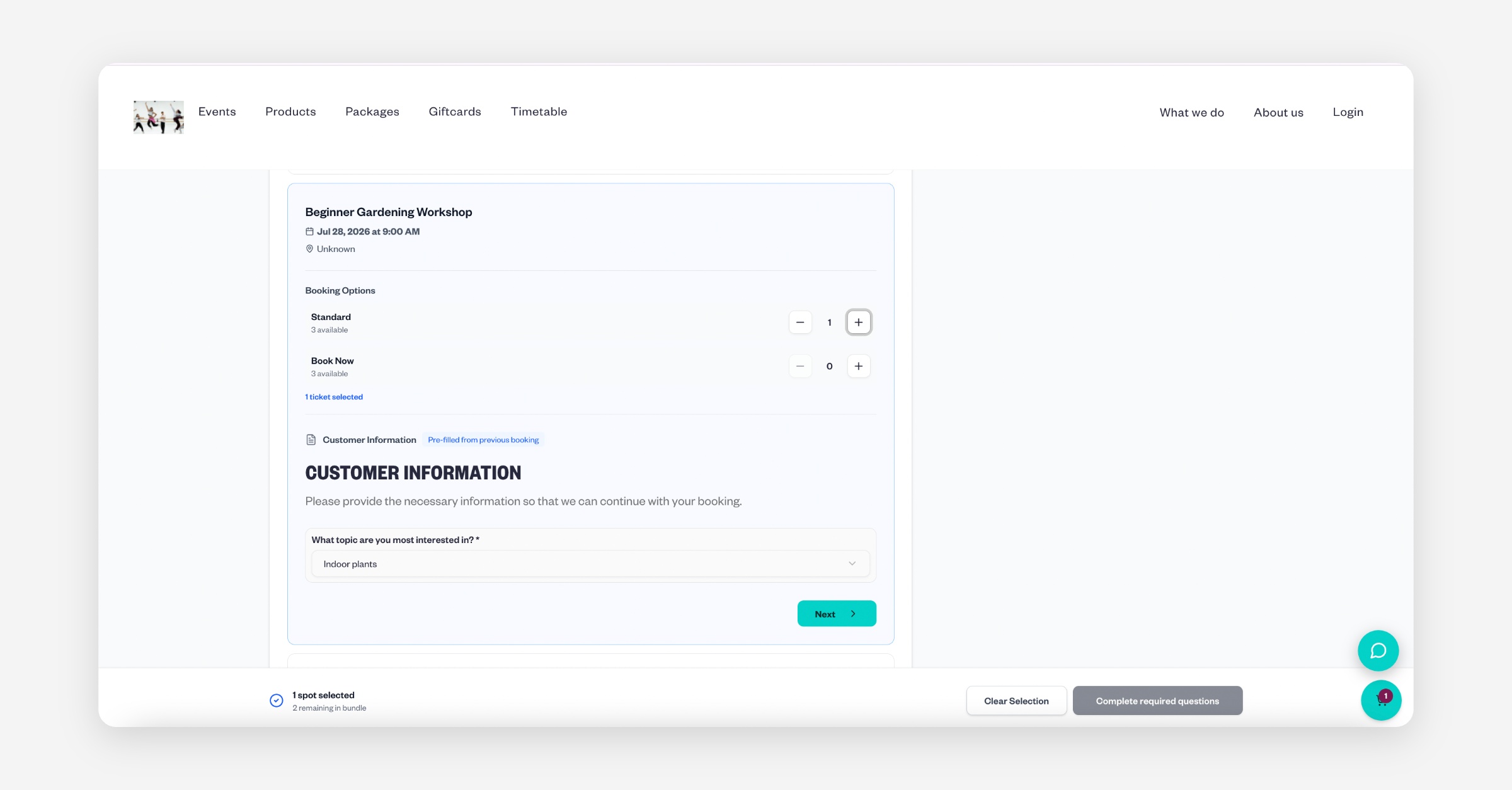
Click Add to Basket.
Confirm your booking.
When booking this way, your bundle credits are automatically applied, so you won't need to log in again or make a payment.
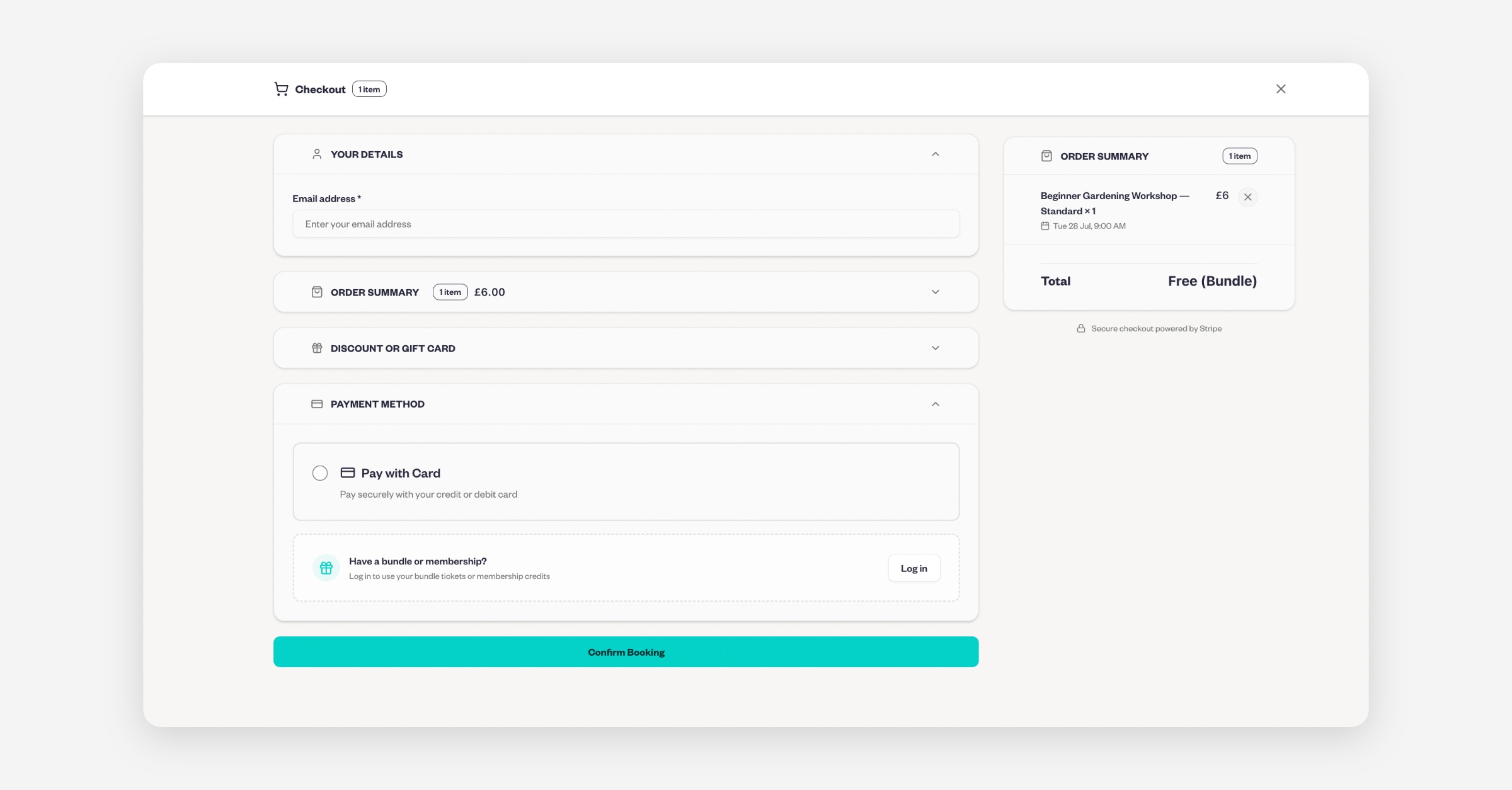
Option 3: Book from the Provider's Website
You can also access your bundle through the provider's Baluu website.
Click Log In.
Sign in using the email address associated with your bundle.
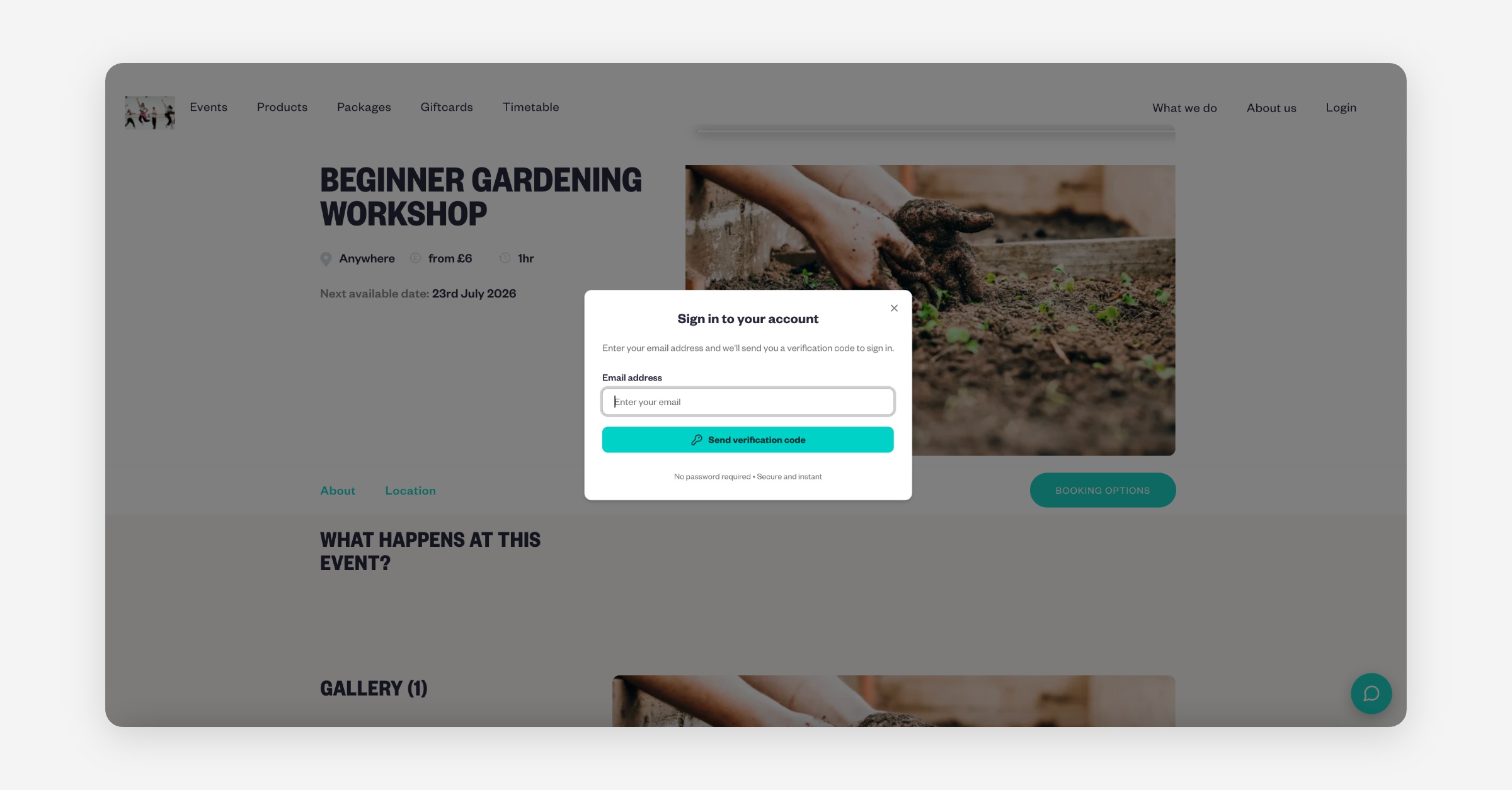
Go to Profile.
Select Bundles.
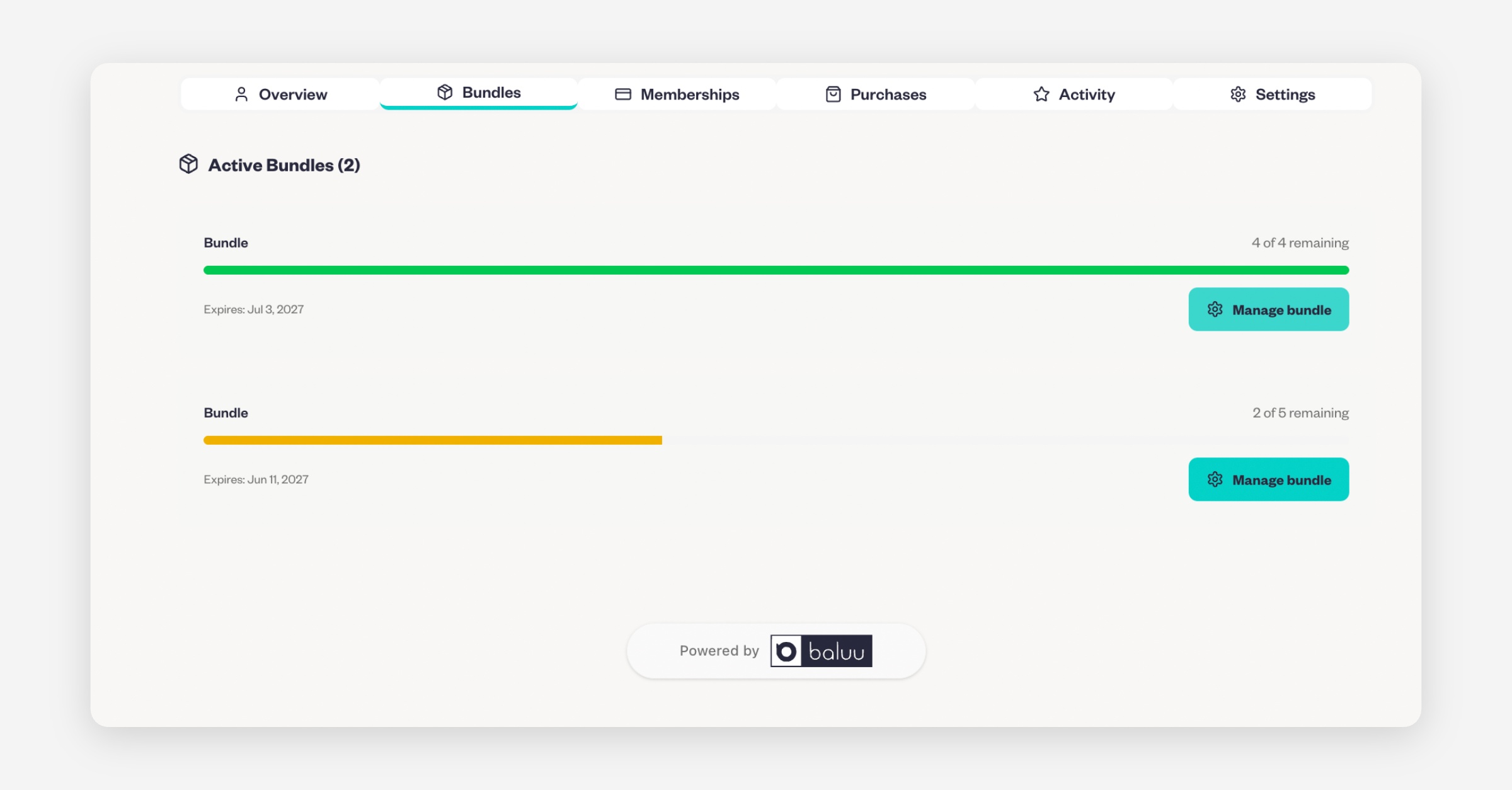
Click Manage Bundle.
This will open the same Bundle Management page as the link in your confirmation email.
Because you're already logged in, bundle credits will be applied automatically whether you book through Services Available or Timetable Sessions. You won't be asked to log in again or make a payment at checkout.
Was this helpful?