Docs / FAQ's
What video conference platform can I use to host my online events?
You can use any video conferencing service you wish, provided that you are able to communicate any relevant login/access details to customers through our Baluu platform.
When adding dates to your online events, you will be given the opportunity to insert an 'Online Meeting Link' at the bottom of the date creation section. The session will not save unless there is a link present in this box. This box will accept Google Meet links too. If you plan to use an alternative platform, and you find the link will not save in this box, then please insert a blank zoom link (https://us02zoom.web.us). You can then include all the relevant access details for your customers in your pre-event notes (Auto email reminders).
How To Insert An Online Meeting Link on Baluu for online events
Before adding a link, please make sure you selected ‘This is an online event’ when creating the event.
Go to the Baluu Dashboard and select the 'Services' tab and then select 'Listings'.
A new page will open with all the event listings. Scroll over to the online event which you would like to add the meeting link. Then select the 'Manage' button.
A new window will open on the 'Manage' tab, select 'Availability' at the top of the page
A new page will open with with the scheduled events along with the option of adding new sessions. Please select the 'Add Session' button if it's a new session.
A new window will open with the 'Add Session' form. Please insert the link to your online meeting in the 'Online Meeting Link' section.
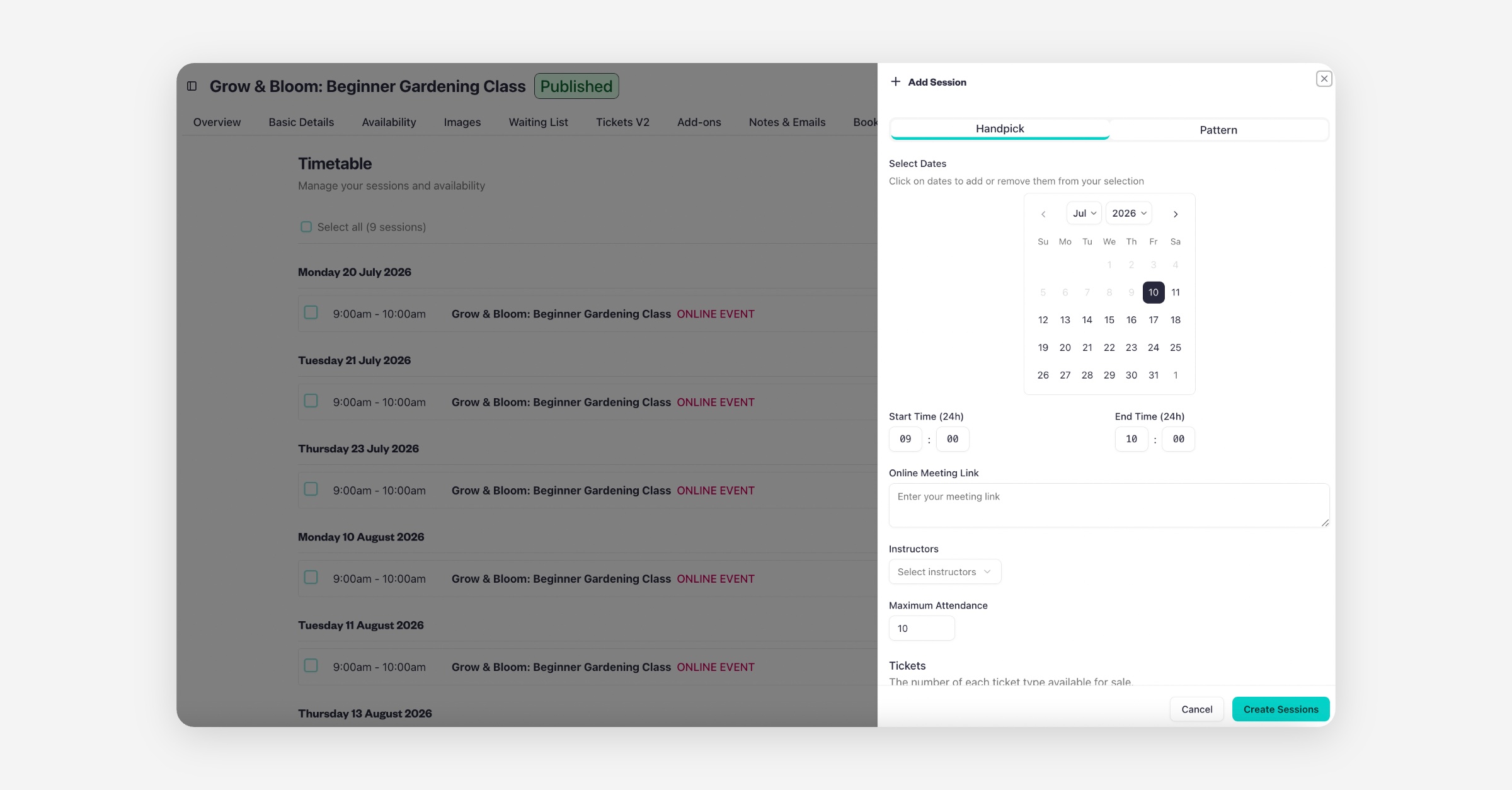
Finish filling in all the required fields in this form and then select the 'Create Session' button at the very bottom of the page to save all the changes.
Was this helpful?