BA
Baluu
    • Can I Email Attendees for a Specific Event?
    • How can I view my Guestlists and check attendance?
    • Recording Online Events
    • I'm changing my Business address
    • Business Community Guidelines
    • How to get more bookings for online events
    • The Dos and Don'ts for online events
    • Adding Notes to a Customer Booking
    • How can I cancel my events in bulk?
    • Using the Description Toolbar in Event Basic Details and Emails
    • How to run a test booking on Baluu
    • How do I delete an instructor/team member?
    • How do I set a minimum age for my event?
    • How to Export Customer Data
    • What video conference platform can I use to host my online events?
    • Can I resend any auto-emails to my customers?
    • Is Baluu GDPR Compliant?
    • How do I add a new event location?
    • How to Hide, Archive or Delete an Event
    • How to Extend Gift Card Expiry Dates?
    • How to Edit Customer Details
    • Invoice Management: Marking as Paid and Cancelling Invoices
    • How to Add a Mandatory Tick Box for Terms & Conditions
    • Why Customers Encounter Errors When Trying to Cancel or Reschedule Events
    • How to Change Your Payout Schedule
    • Where to View Your Bookings and Estimated Earnings
    • How to Change Your Baluu Booking Website Link?
    • How to Update Event Availability?
    • Adding new time slots to existing by appointment availability
    • Time Off (For Appointment-Based Sessions)
Docs / FAQ's

Can I Email Attendees for a Specific Event?

Yes — you can email all customers booked onto a specific class or event directly from your Calendar in Baluu.

This is useful if:

  • You forgot to include important information in your automated email

  • You need to send additional details before the session

How to Email All Attendees

You can contact everyone booked onto a session in just a few clicks.

  1. Go to Your Calendar

  2. Find the event you want to contact attendees about

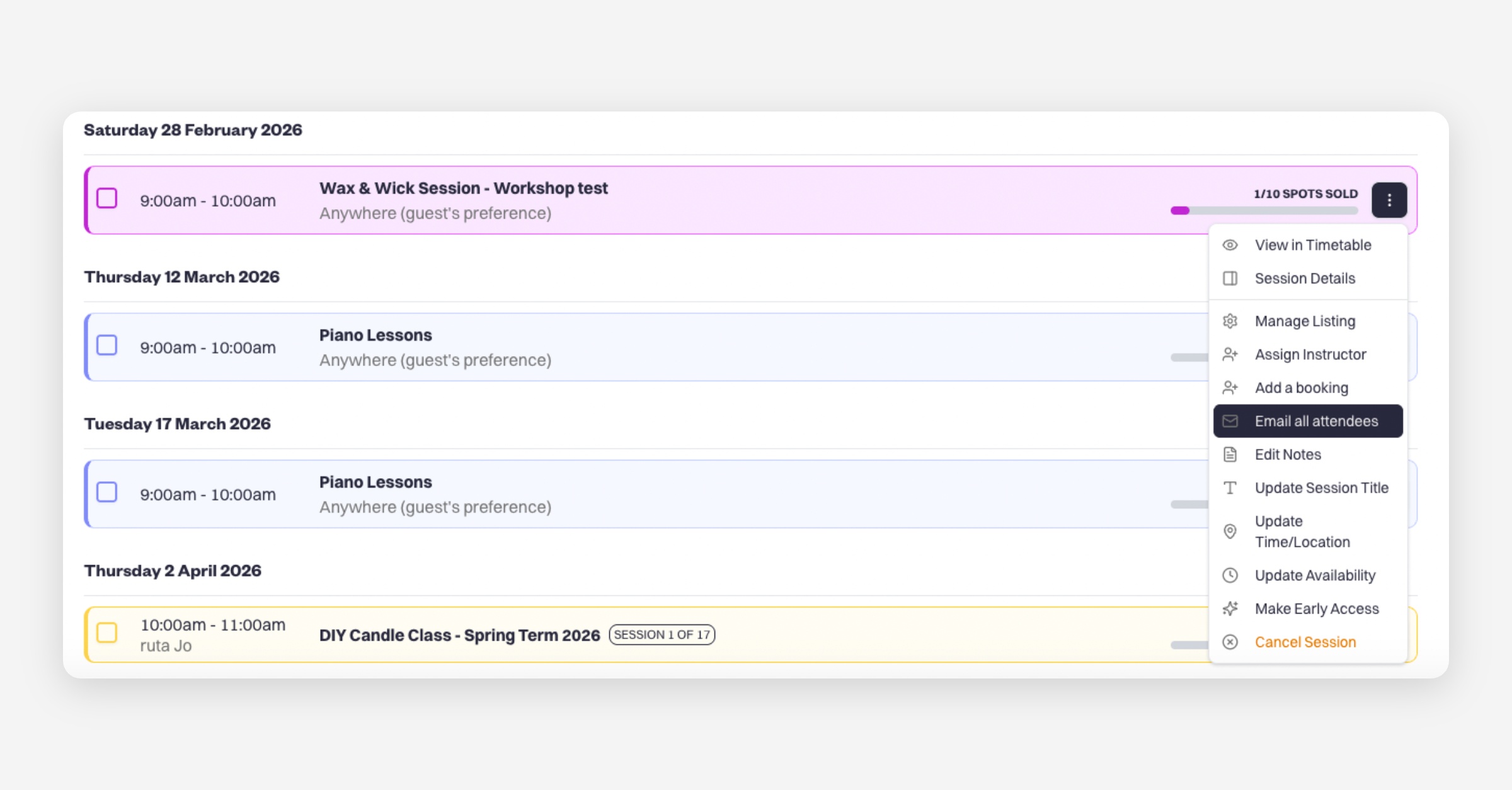
  3. Click the three-dot menu (⋯) on the booking

  4. Select “Email All Attendees”

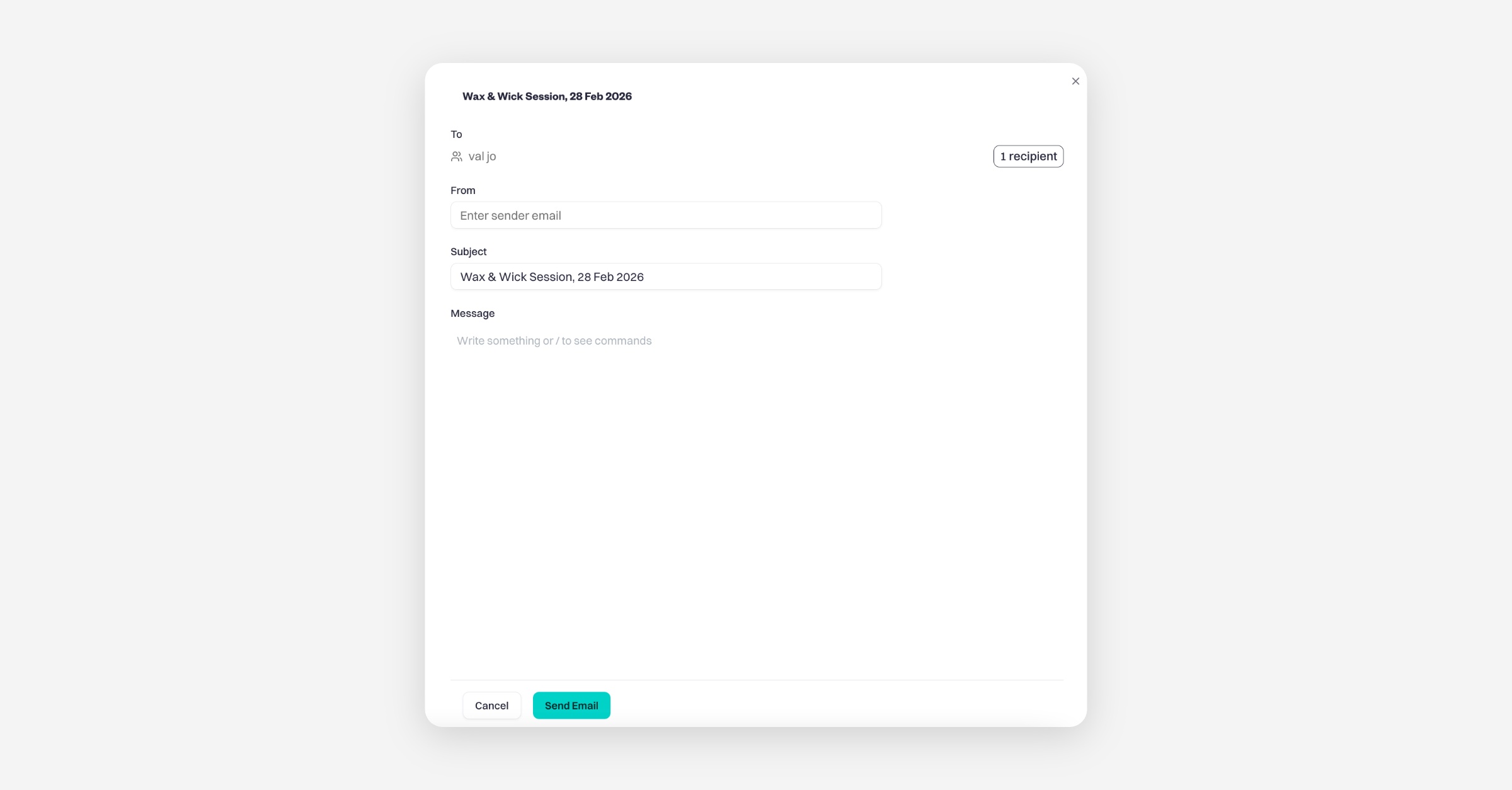
  1. Enter your subject and message

  2. Click Send Email

PrevCan I translate/use Baluu in a language which isn't English?
NextHow can I view my Guestlists and check attendance?
Was this helpful?