Docs / FAQ's
How do I add a new event location?
You do not need to create a new event to add a new location. You can add locations directly from your Dashboard and then assign them to your sessions.
Step 1: Add a New Location
Go to your Dashboard
Click Settings
Select Locations
Click Add New Location
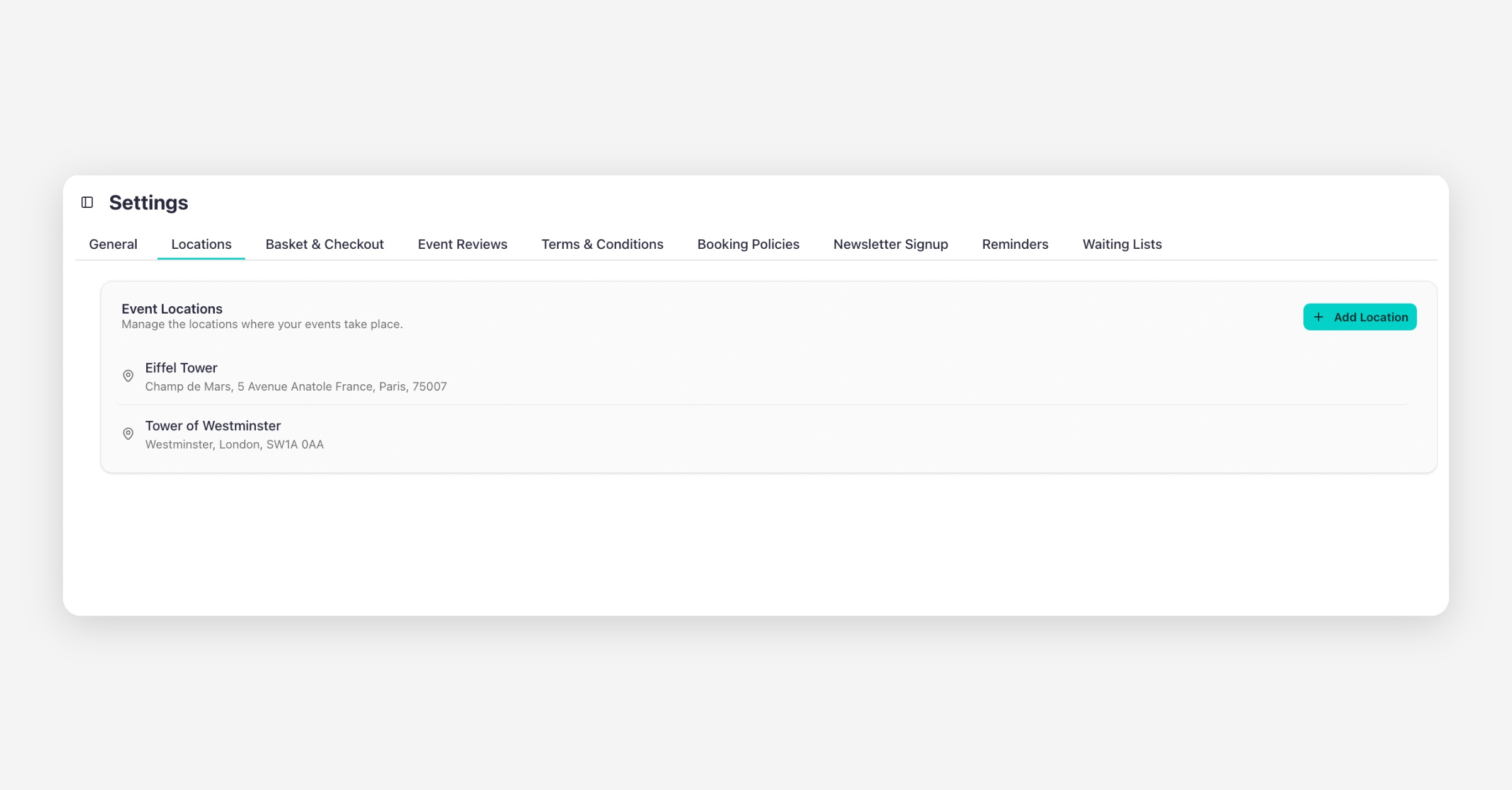
Fill in the required details
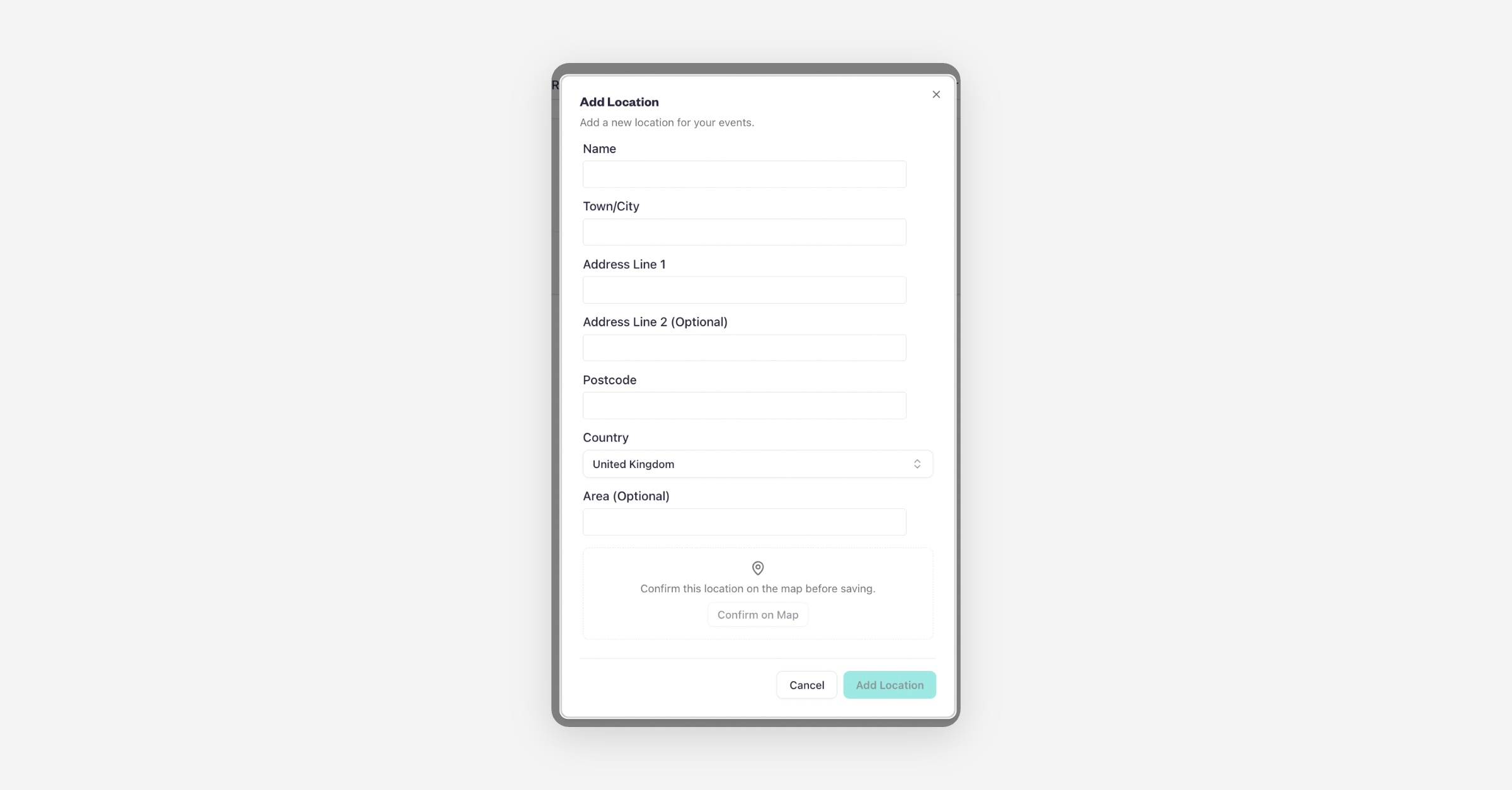
You also have the option to add geo-coordinates for more accurate positioning
Click Add Location to save
Your new location will now be available in your event settings.
Edit an Existing Location (If the Map Pin Is Incorrect)
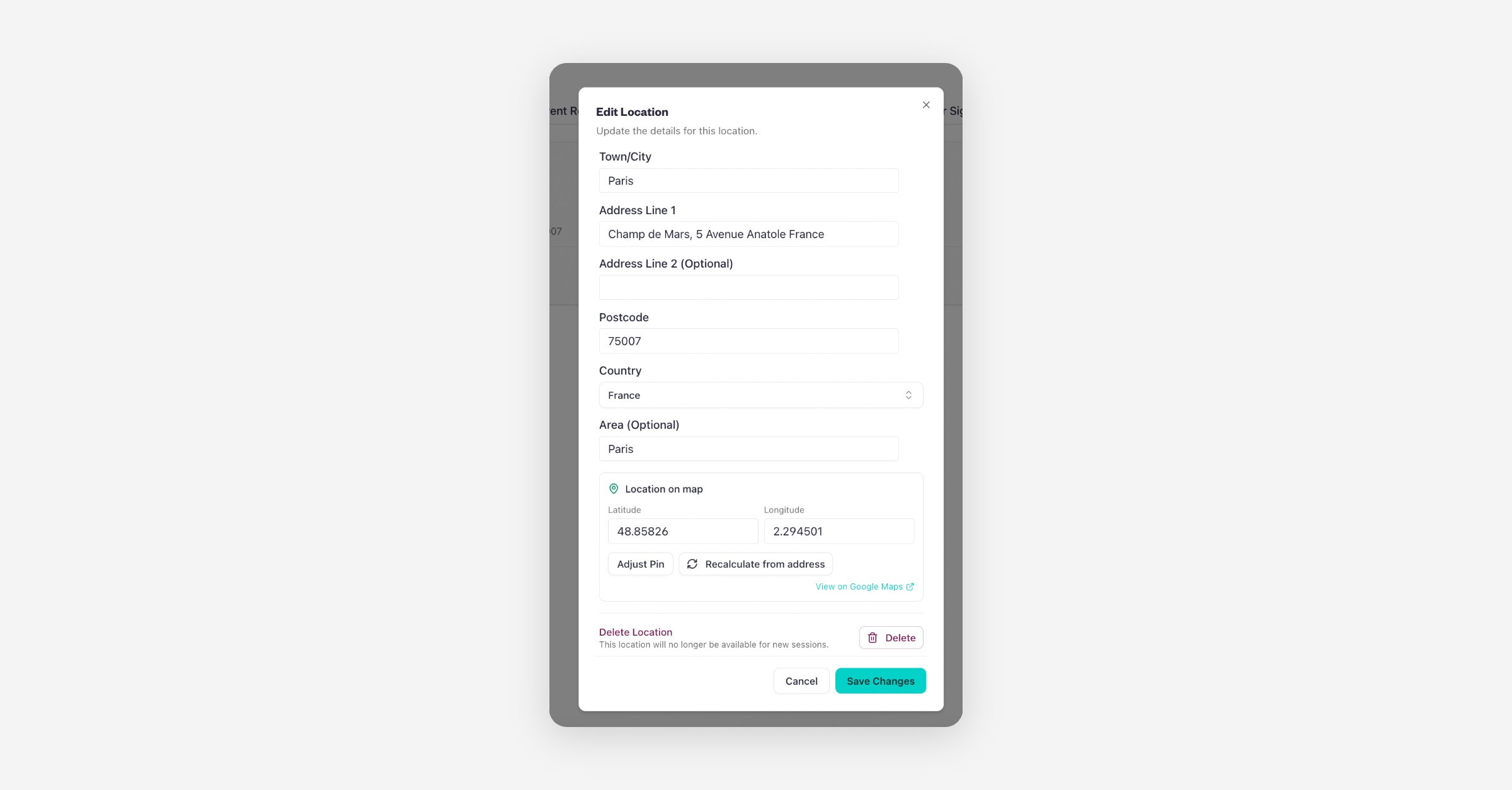
If you already have a location saved but the map position is not accurate, you do not need to create a new one. You can edit the existing location and update the geo-coordinates.
Go to Settings
Click on the Locations
Click on the location
Edit address details
Adjust the map pin
Click Save Changes
You can also delete the location from the same page by selecting the Delete Location option.
Your updated coordinates will apply immediately.
Was this helpful?