Managing Reviews in Baluu
Reviews are a great way to build trust with your customers and showcase the quality of your sessions. Baluu makes it easy to collect, manage, and respond to reviews all in one place.
Where to Find Your Reviews
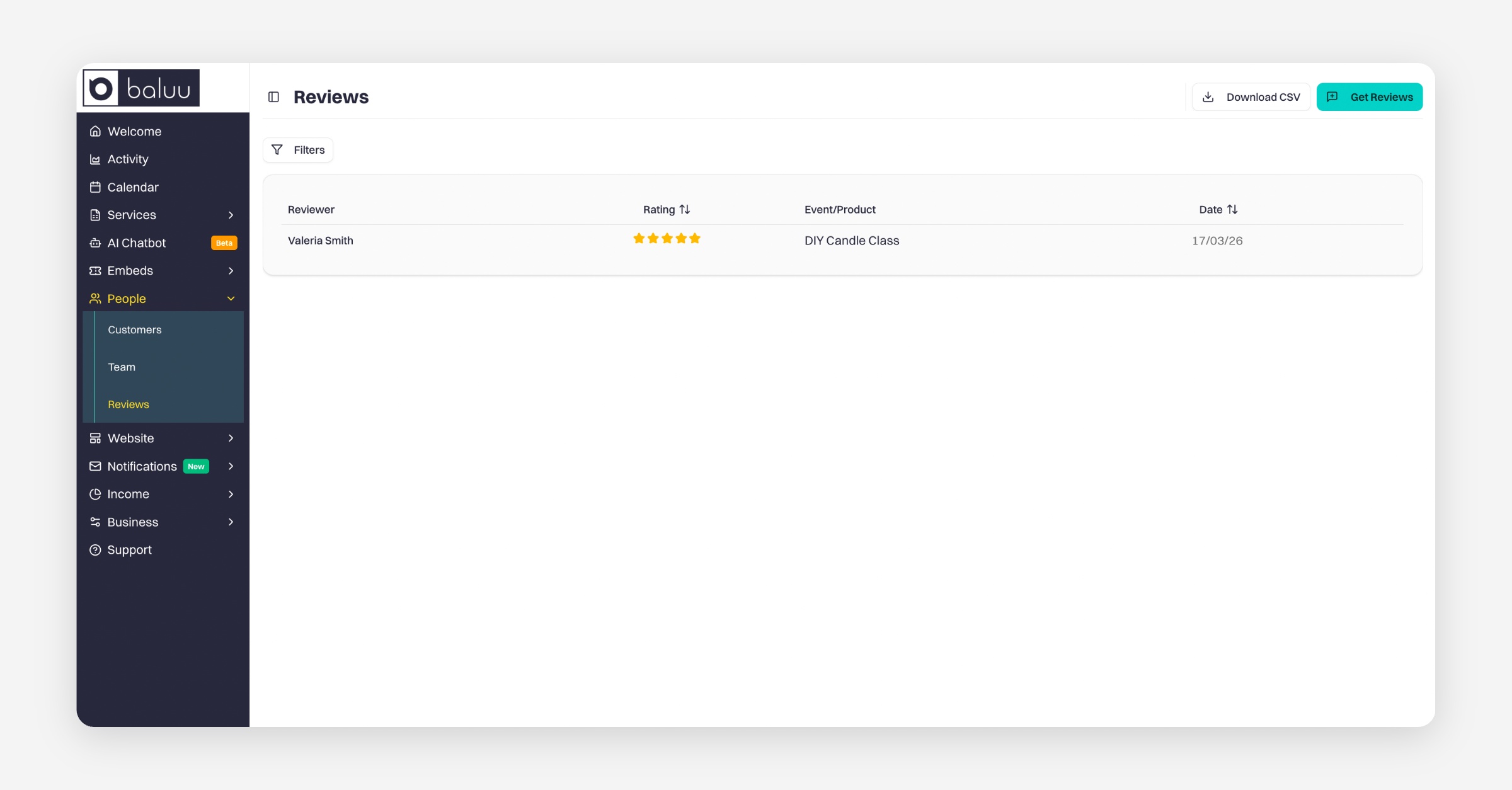
To view all your reviews:
Go to People
Select Reviews
Here, you’ll see a full list of all reviews left across your sessions. This includes your all-time reviews, making it easy to track feedback over time.
How to Request a Review
If you’d like to ask a customer to leave a review:
Go to People → Reviews
Click Get Review
This will take you to a page with your unique review link. You can share this link directly with your customers to encourage them to leave feedback.
Exporting Your Reviews
You can download all your reviews as a CSV file for reporting or analysis:
Go to People → Reviews
Click the option to Download CSV
Managing Individual Reviews
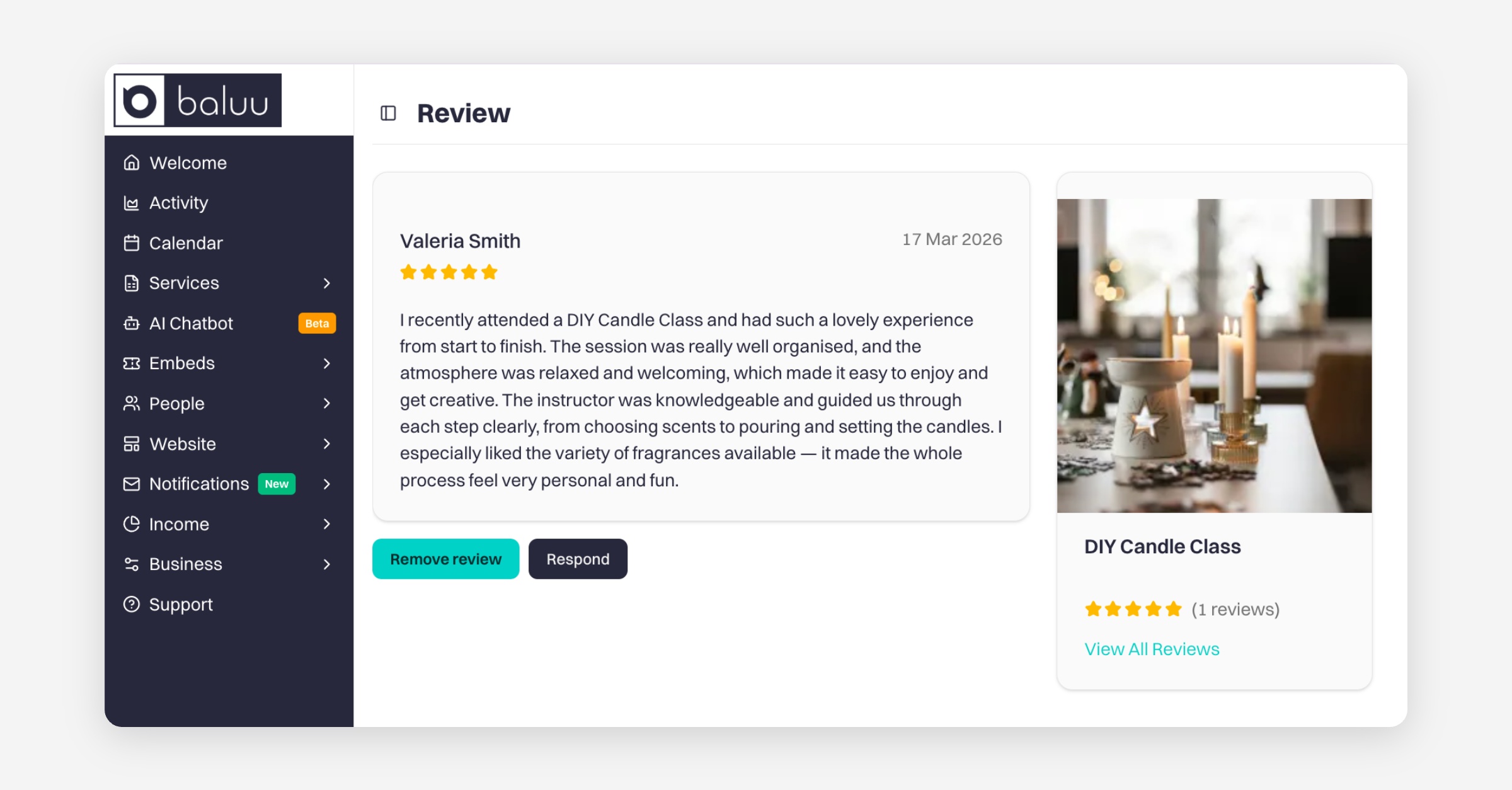
Click on any review in the list to open more options. From there, you can:
Respond to a review – engage with your customers and show appreciation
Remove unwanted reviews – manage inappropriate or incorrect feedback
Enabling Reviews
To learn how to enable reviews and automate review collection through post-event emails, please see this guide:
Managing Reviews and Post-Event Emails in Baluu
Embedding Reviews on Your Website
If you have your own external website, you can showcase your reviews using Baluu’s review widget.
Learn how to embed it here:
How to Embed Baluu into Your Website
Was this helpful?