BA
Baluu
Docs
    • Can I Email Attendees for a Specific Event?
    • How can I view my Guestlists and check attendance?
    • Recording Online Events
    • I'm changing my Business address
    • Business Community Guidelines
    • How to get more bookings for online events
    • The Dos and Don'ts for online events
    • Adding Notes to a Customer Booking
    • How can I cancel my events in bulk?
    • Using the Description Toolbar in Event Basic Details and Emails
    • How to run a test booking on Baluu
    • How to close your Baluu account
    • How do I delete an instructor/team member?
    • How do I set a minimum age for my event?
    • How to Export Customer Data
    • What video conference platform can I use to host my online events?
    • Can I resend any auto-emails to my customers?
    • Is Baluu GDPR Compliant?
    • How do I add a new event location?
    • How to Hide, Archive or Delete an Event
    • How to Extend Gift Card Expiry Dates?
    • How to Edit Customer Details
    • Invoice Management: Marking as Paid and Cancelling Invoices
    • How to Add a Mandatory Tick Box for Terms & Conditions
    • Why Customers Encounter Errors When Trying to Cancel or Reschedule Events
    • How to Change Your Payout Schedule
    • Where to View Your Bookings and Estimated Earnings
    • How to Change Your Baluu Booking Website Link?
    • How to Update Event Availability?
    • Adding new time slots to existing by appointment availability
    • Time Off (For Appointment-Based Sessions)
    • How to Redeem a Gift Card or Discount Code: Step-by-Step Guide
    • Adding new time slots to existing by appointment availability
    • How to Manually Add an Attendee to a Session in Baluu
    • How do I redeem a gift voucher/gift card?
    • Adding Analytics and Tracking Code
    • How to add or remove guests from a booking
    • How to Review Emails Sent to Your Customers
    • Duplicate Listing
    • How to Manage Notifications in Baluu
    • How to Enable Google and Apple Pay?
    • Search Help
    • Reminders
    • How to Create Bundles V2
    • Setting How Far in Advance Customers Can Book
    • How to Cancel a Booking and Issue a Refund
    • How to Create an Online Event on Baluu
    • How to Use Your Bundle (Customer Guide)
    • How to Update Your Subscription Plan
    • How to Email All Your Customers
    • Introducing the New Basket Function
    • Multi-Date Selection: Allow Customers to Book Multiple Dates in One Purchase
    • How to Change the Email Address Customers Reply To
    • Understanding Min / Max Selection for Add-on Groups
    • Managing Reviews in Baluu
    • Managing Membership Members
    • How to Manually Add a Booking Using a Customer’s Bundle or Membership
    • How to Show Exact Spaces Remaining on Your Class
    • How to Change Payment Details for Private Payments and Invoices?
    • How to Change Ticket Prices for Future Fixed-Date Sessions Without Affecting Existing Dates
    • How to Merge Two Customer Accounts
    • Late Booking Tolerance
    • How to Update the Date, Time or Location of an Existing Term
    • Private Payments/Invoices
    • Rescheduling Bookings
    • How does the Waiting List feature work?
    • How to reschedule my customers from one listing to another
    • How do I refund a customer for a term?
    • Can I refund a customer for a bundle?
    • Can I reduce a customer's bundle?
    • Stripe Connect
    • VAT Reporting and Sales Reports
    • My discount code is not working
    • Add or Edit a Product Delivery Option
    • Using Discount Codes for Offline Payments

Duplicate Listing

If you already have a listing but want to create an identical one, please follow this guide.

Steps to Create a Duplicate event:

  1. Go to your listing page.

  2. Click the three-dot menu on the listing you want to duplicate.
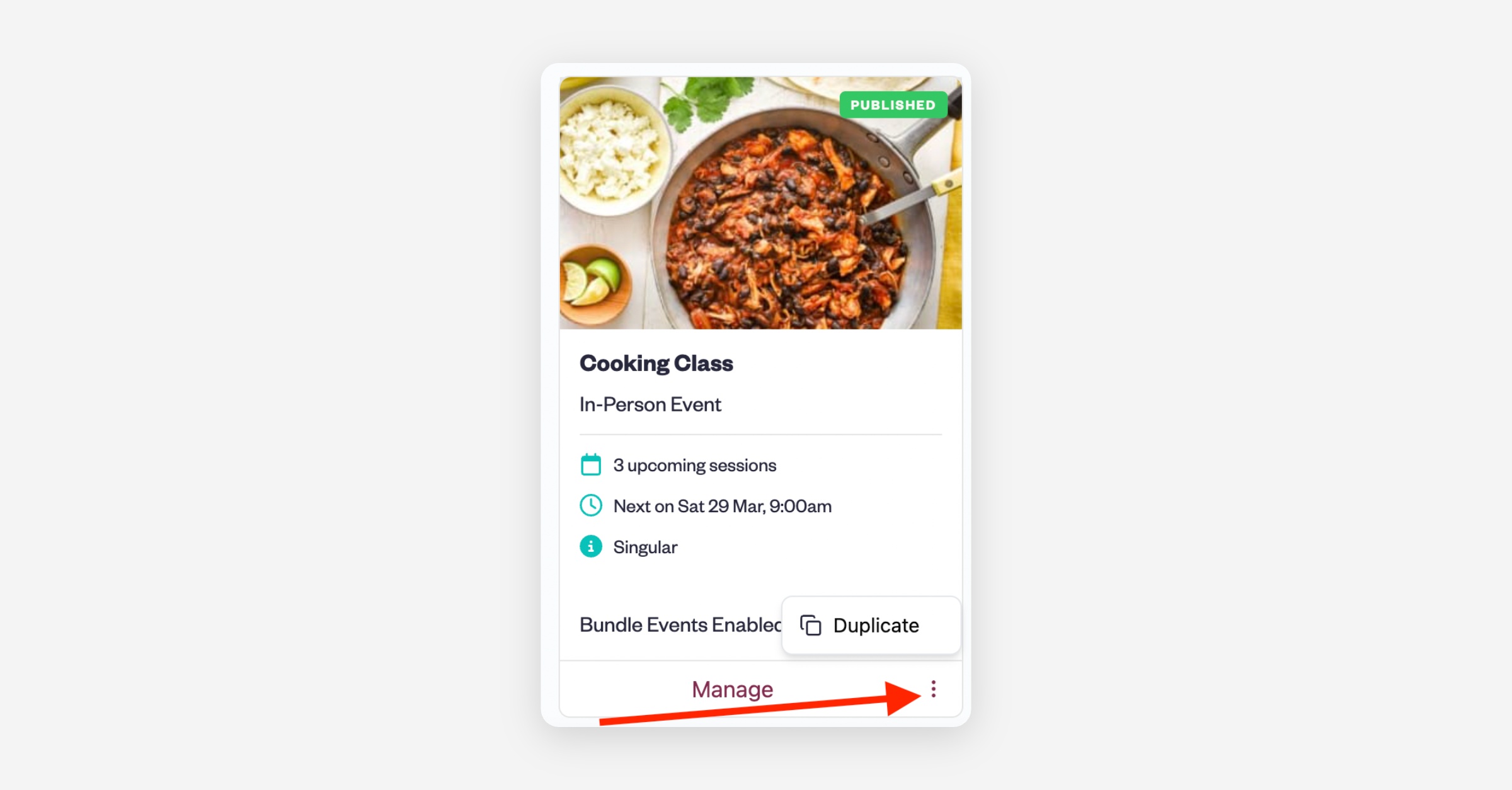
  3. Select 'Duplicate.'

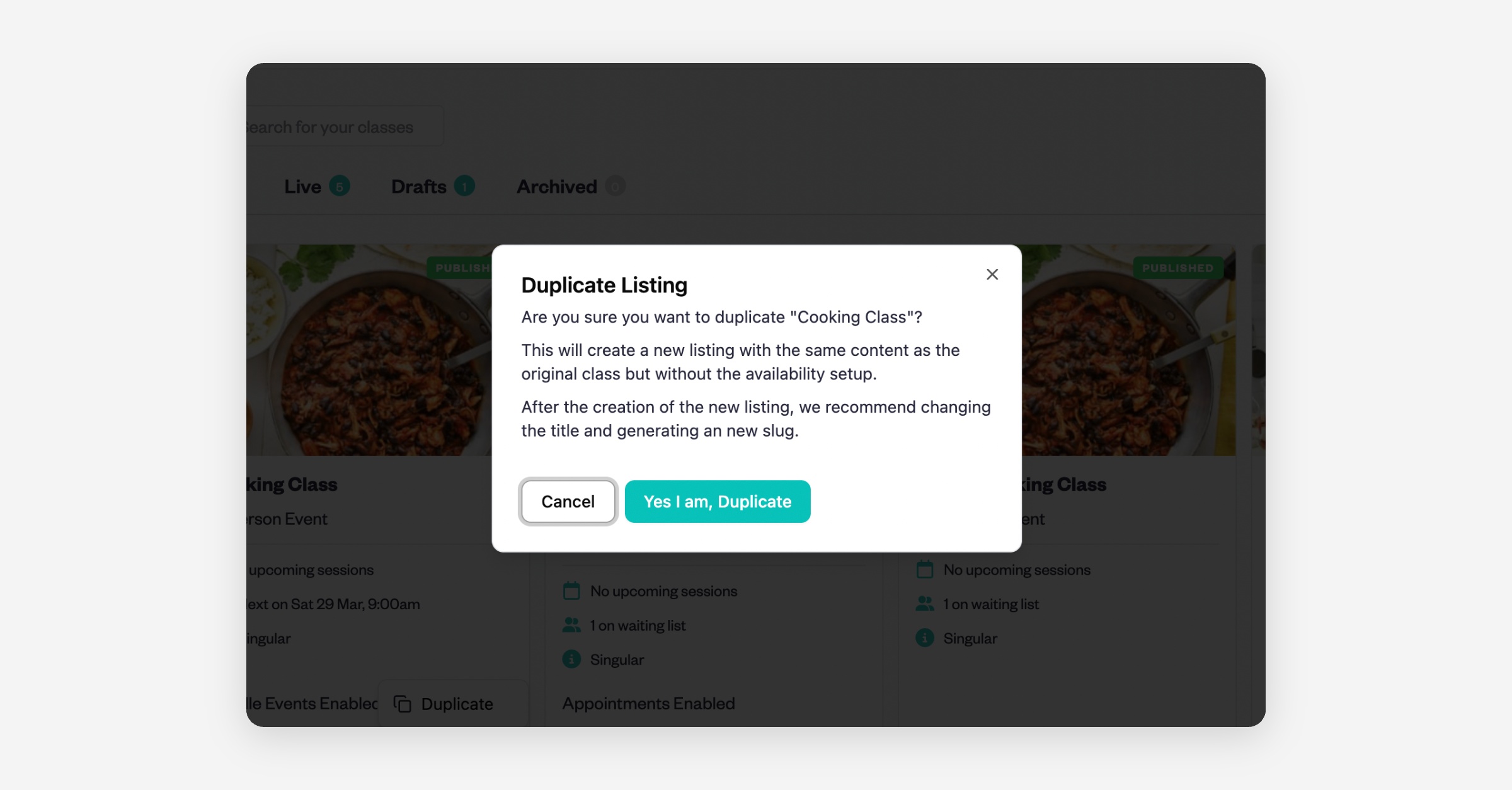
  4. A prompt will appear asking, "Are you sure you want to duplicate?" Click "Yes, I am."
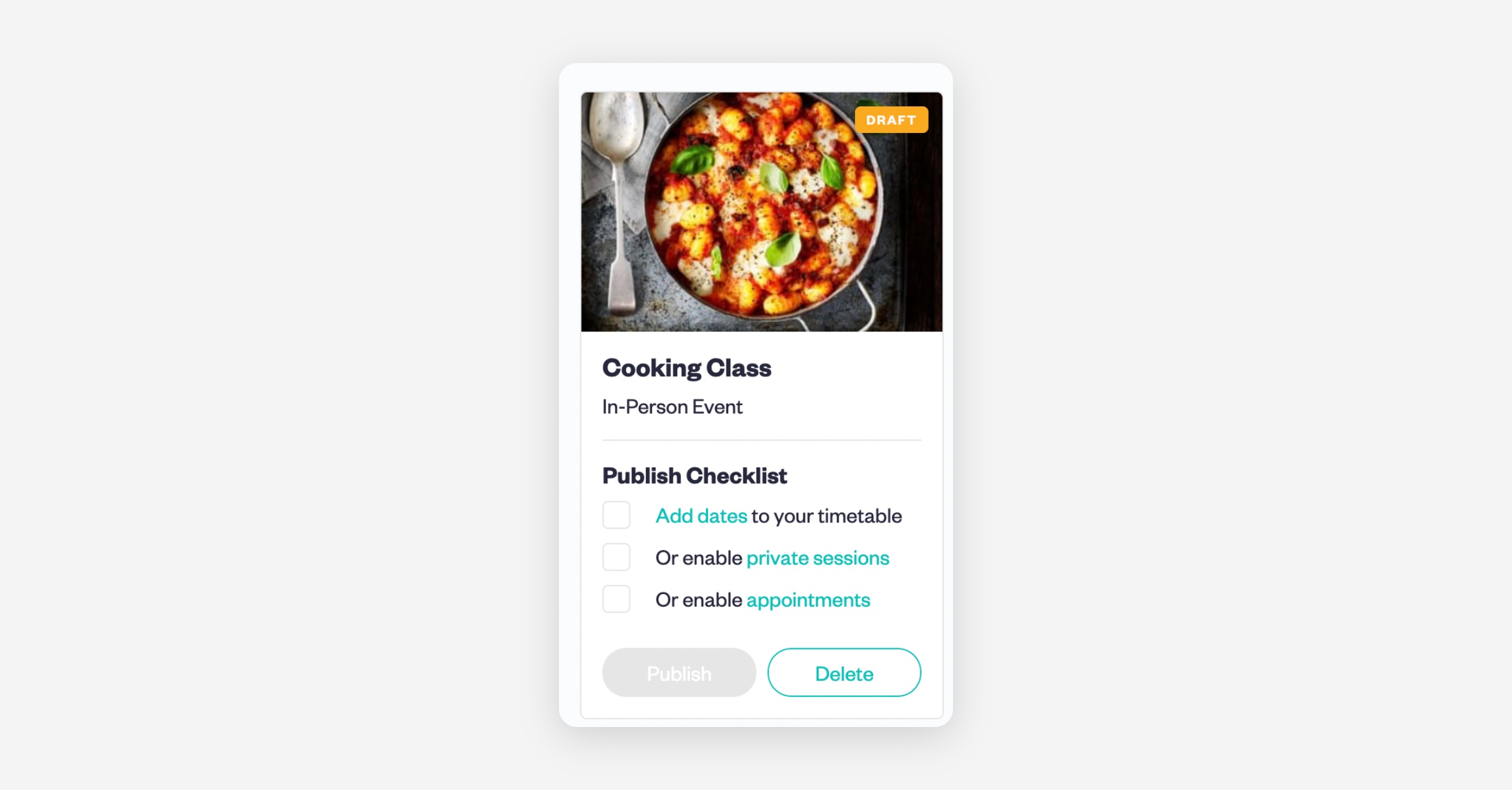
  5. Add date to your timetable and click 'Publish'.
PrevHow to Review Emails Sent to Your Customers
NextHow to Manage Notifications in Baluu
Was this helpful?