How to add or remove guests from a booking
Whether you're dealing with single sessions, group bookings, or appointments, adjusting your guest list is easy.
Sometimes your customers need to change the number of people in their booking. For example:
A customer originally booked 4 tickets, but now wants to bring 3 extra guests.
Or a customer booked 4 tickets, but one person can’t attend and needs a refund for one guest.
Baluu lets you add or remove guests from a booking. However, changes to the price must be done manually — Baluu does not automatically charge or refund money when guests are added or removed.
How to add guests to a booking
Go to your calendar.
Open the session where you want to add a guest.
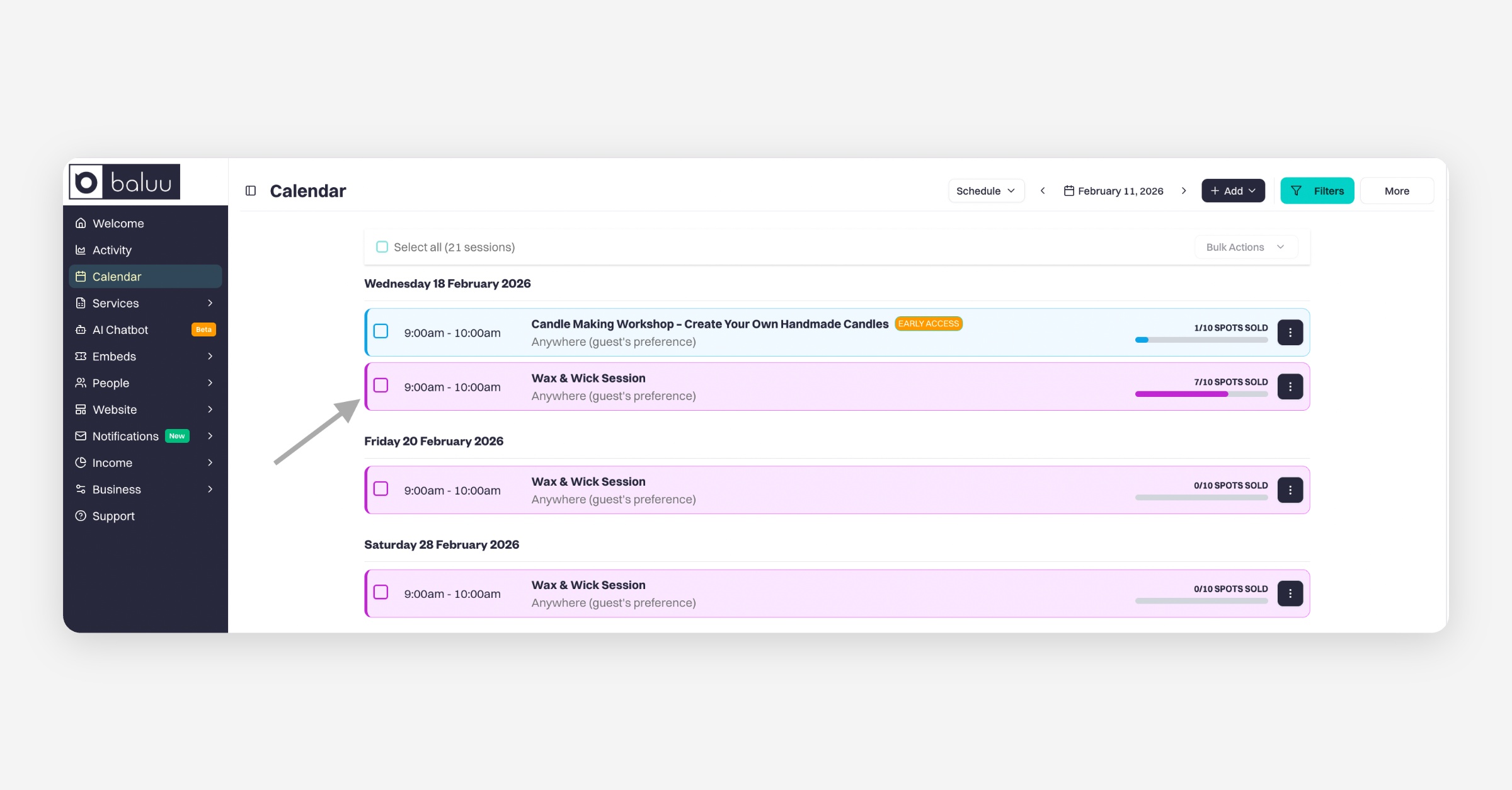
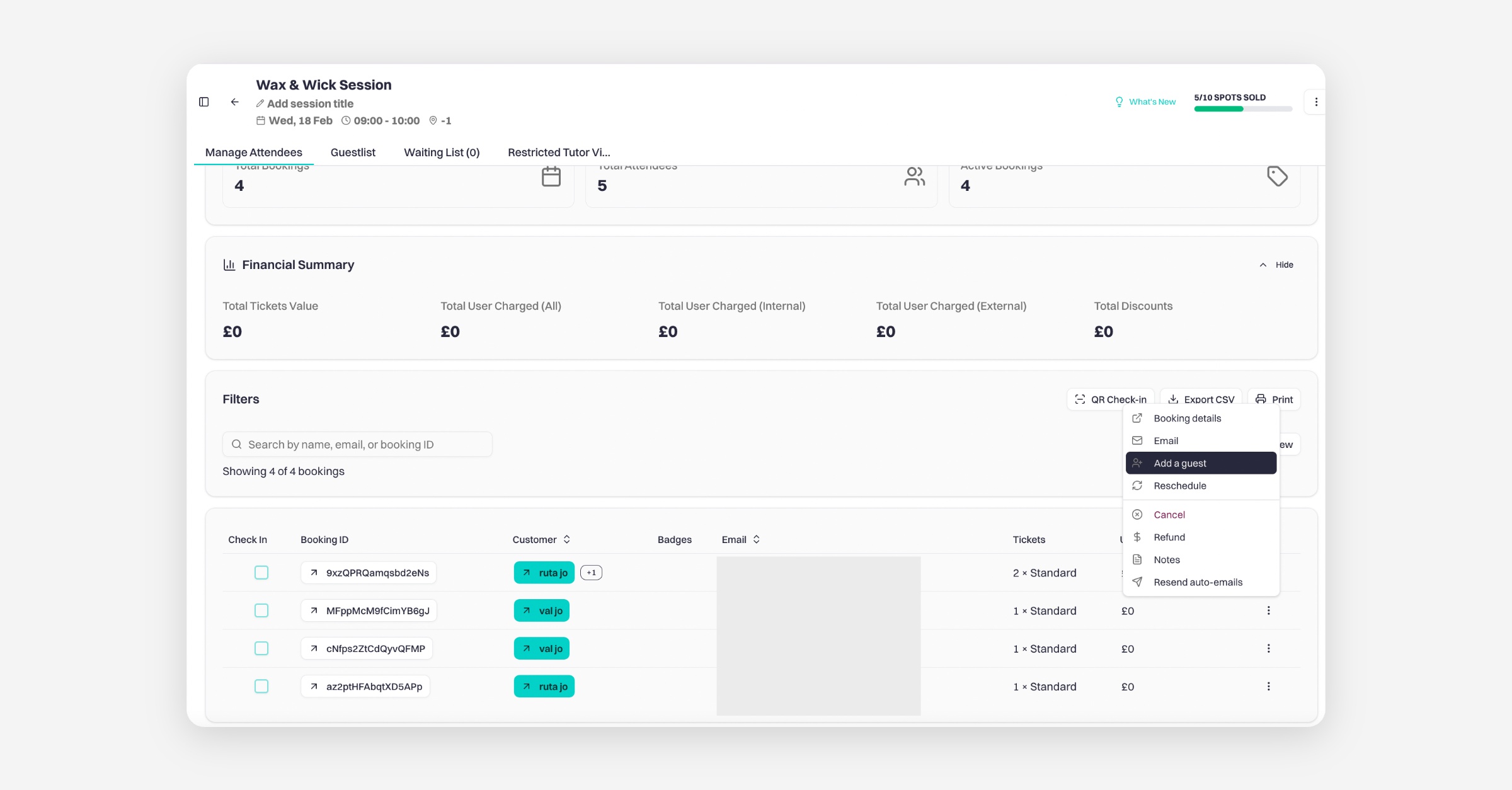
Select the booking you want to update. Click the three-dot menu and choose “Add Guest.”
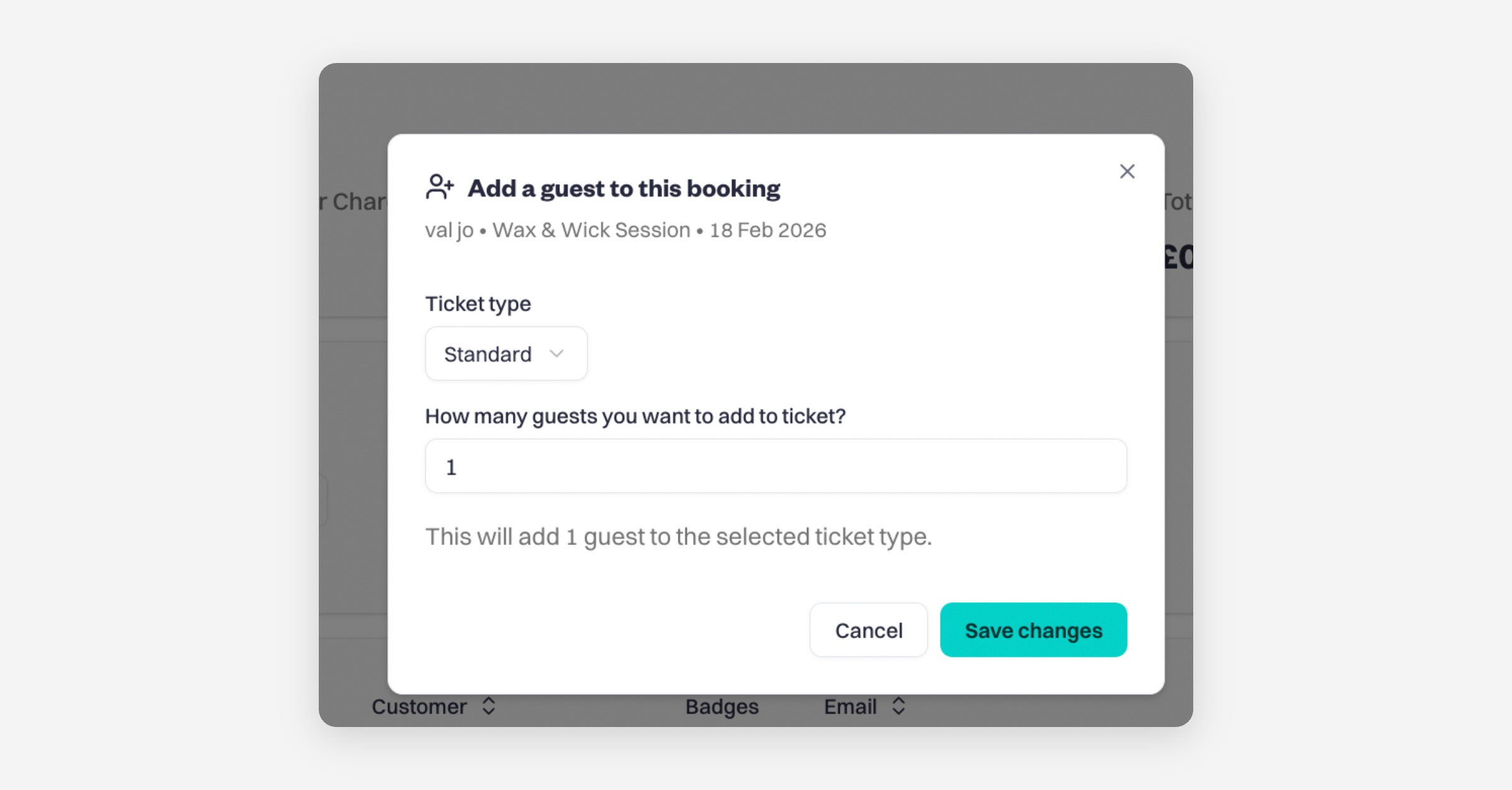
Pick the ticket type, and decide how many guests to add. Then, click 'Save Changes.'
Removing Guests:
In your calendar open the session where you want to remove a guest.
Select the booking you want to update and click 'Remove Guest'
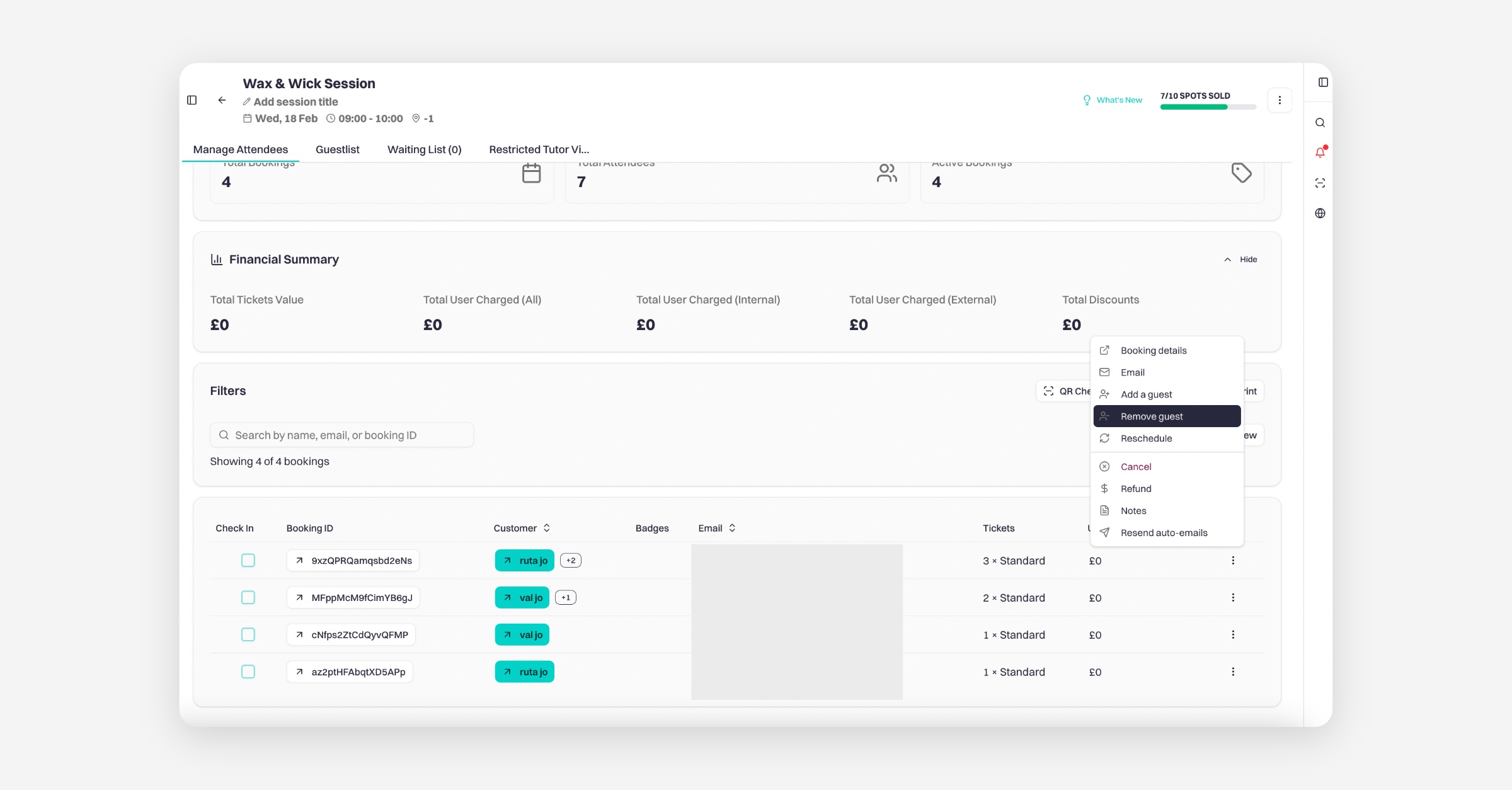
Choose the guest to remove, and click 'Remove.'
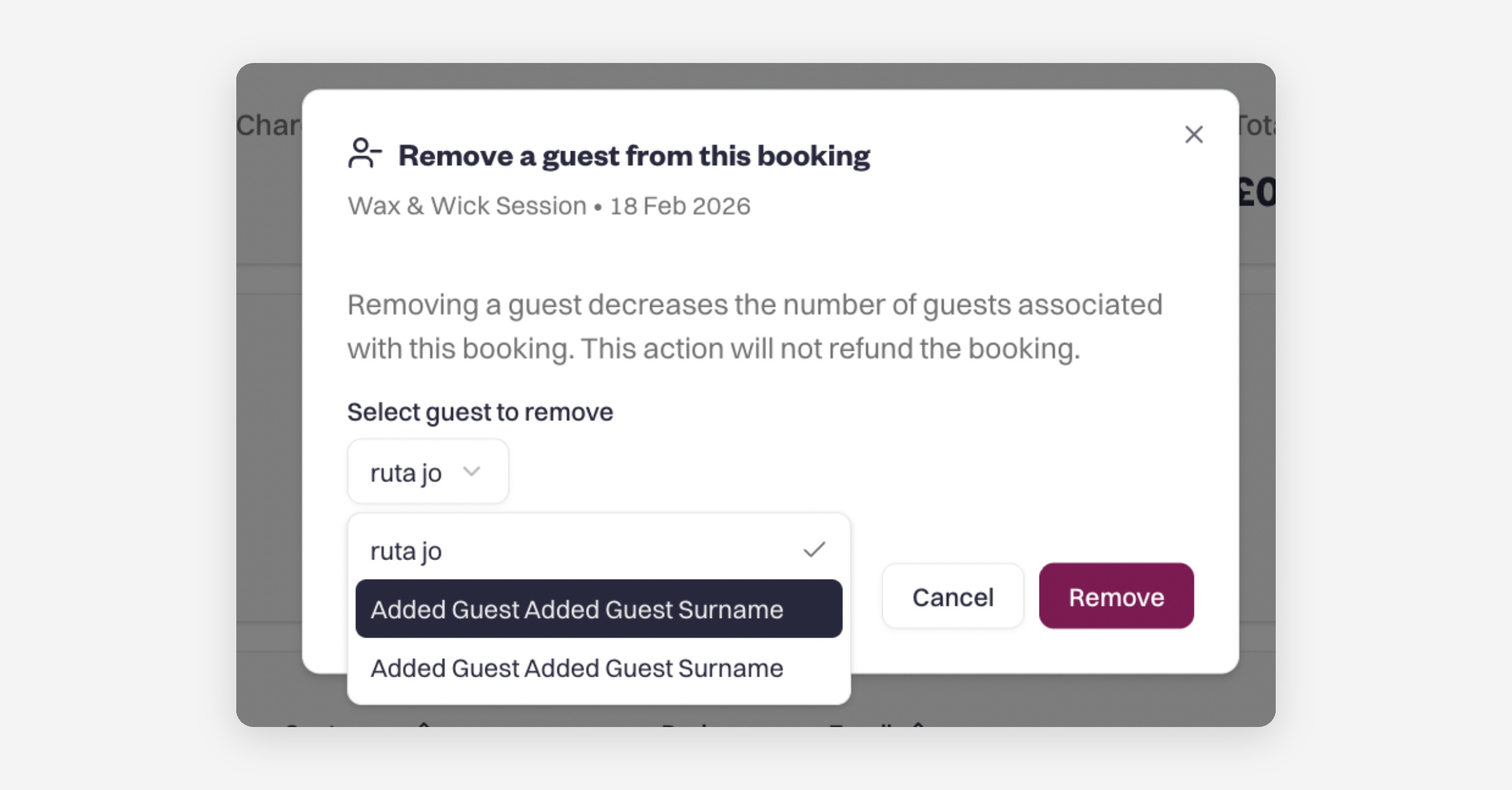
Removing a guest in Baluu does not automatically refund any payment.
To refund money for a removed guest, you must issue a partial refund to the customer manually.
Was this helpful?