How to Merge Two Customer Accounts
Sometimes the same customer may create two separate profiles by using a different email address when making another purchase, or by entering the wrong email address by mistake.
If you want to keep all customer details, bookings, and purchase history together under one profile, you can merge the two customer accounts.
How to Merge Customer Accounts
Go to Customers
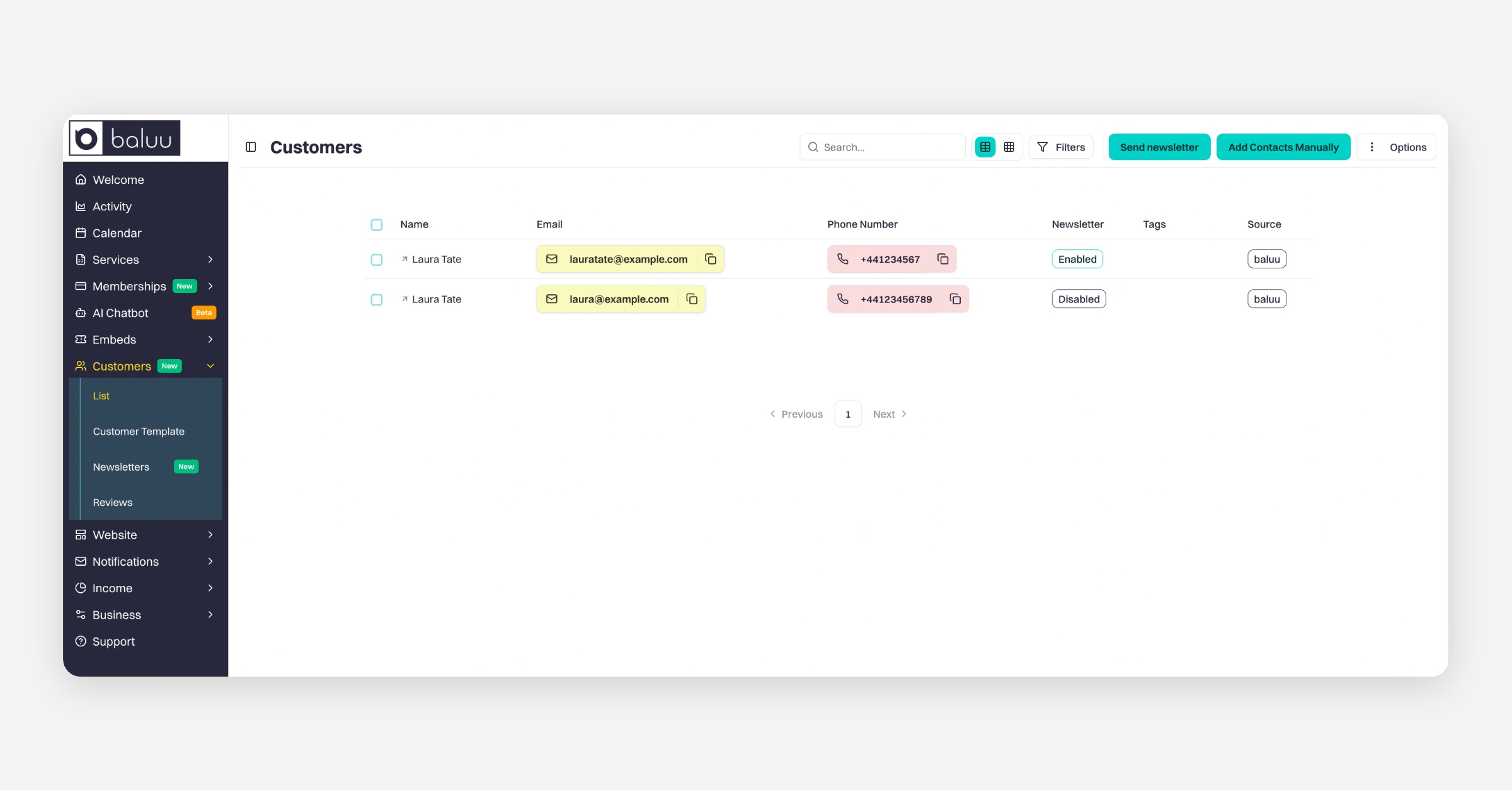
Open the customer profile you want to update
Click Edit Details
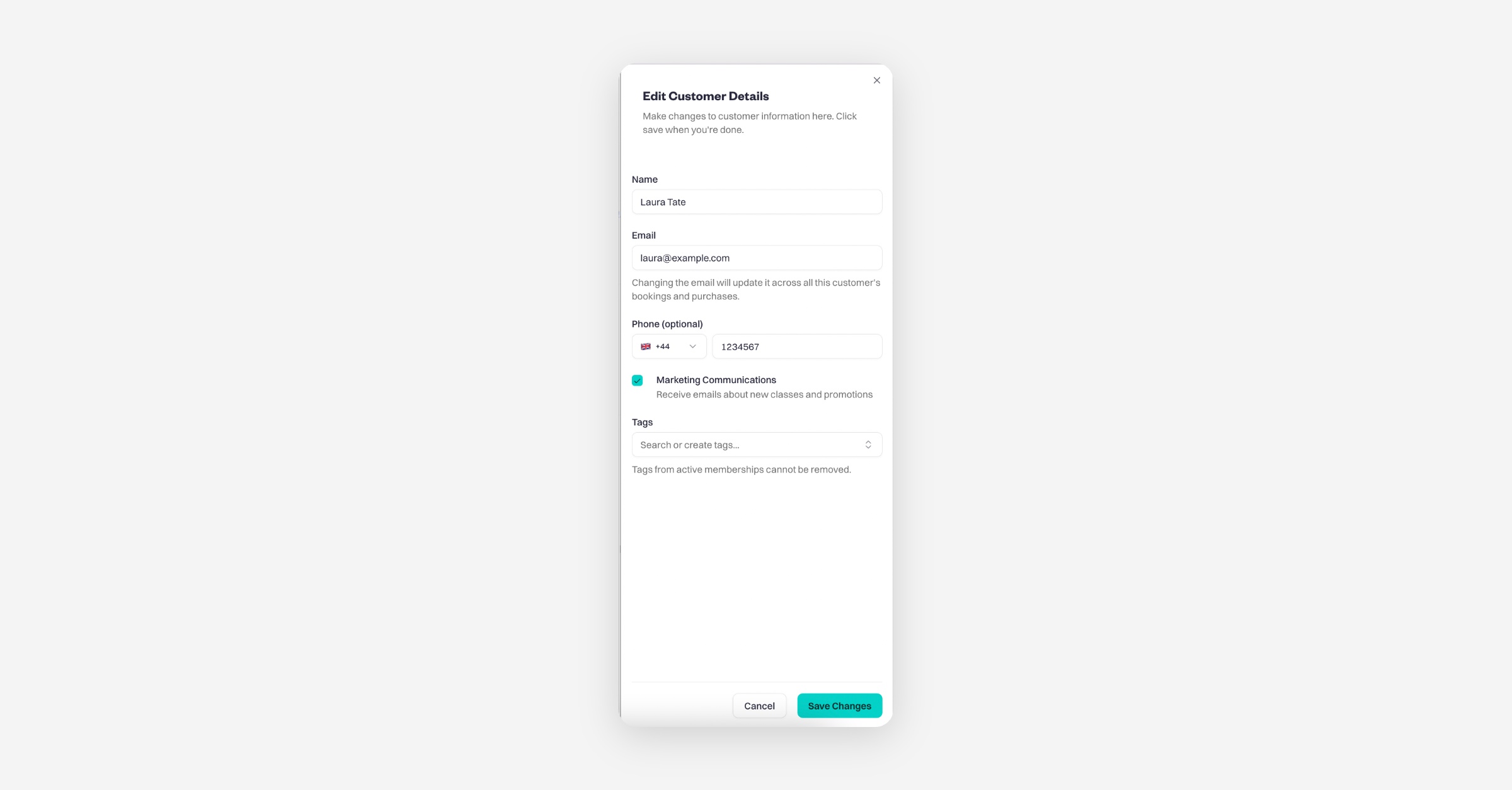
Change the customer's email address or name so it matches the second customer profile
Click Save Changes
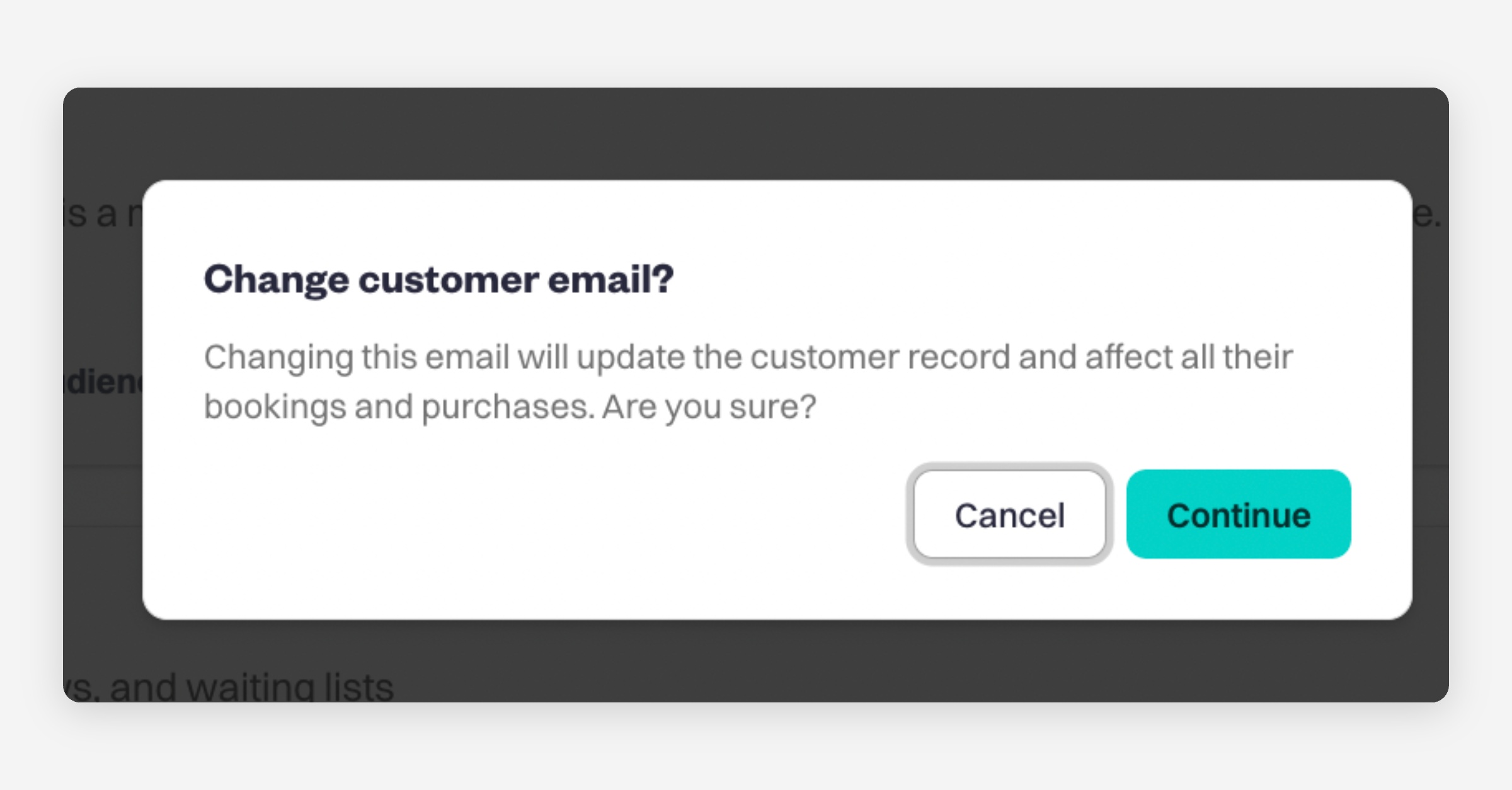
For the note Change customer email? Click Continue
You will then see a message similar to this:
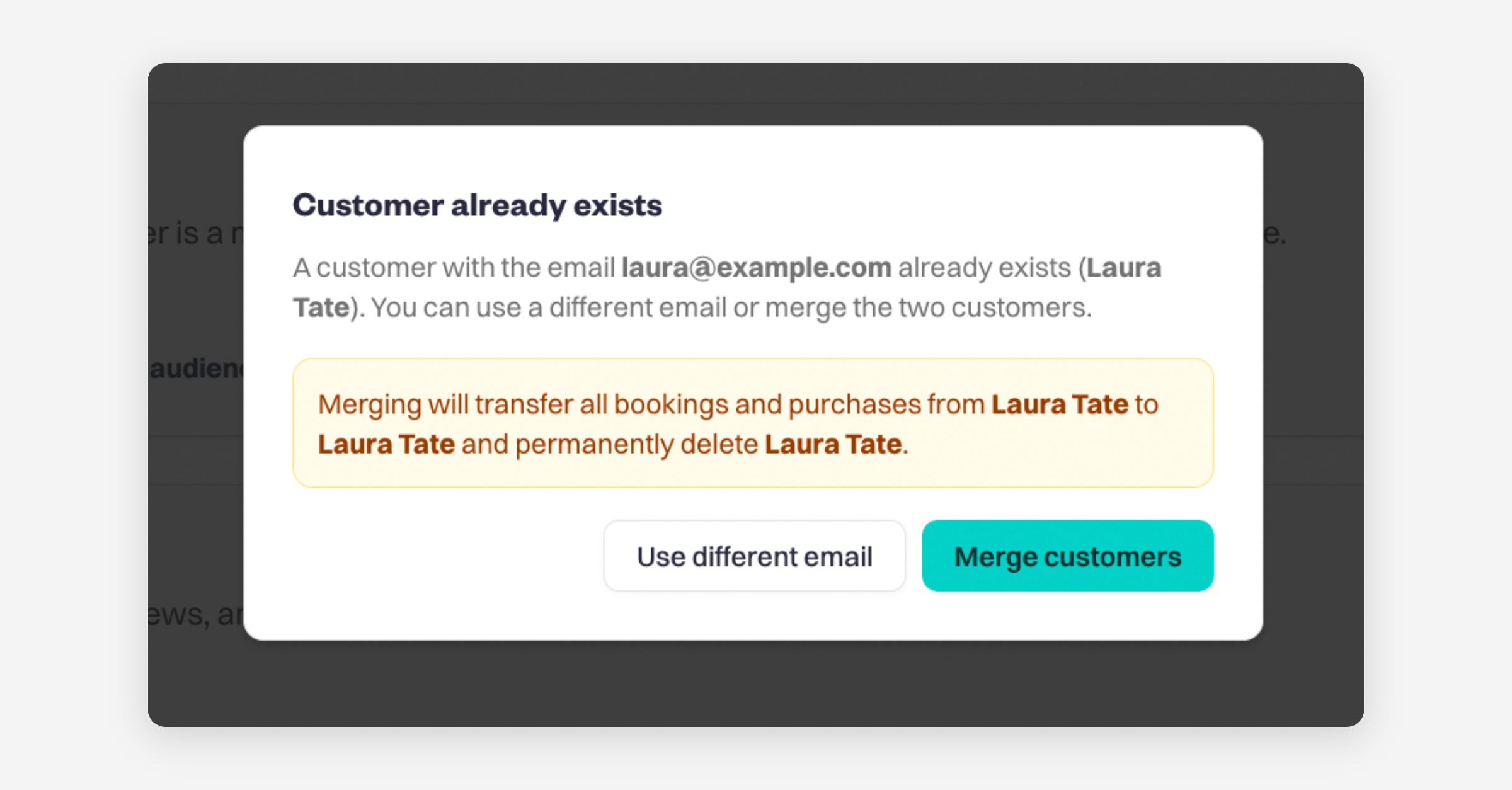
Click Merge Customers
Once merged, all bookings, purchases, and customer history will be combined into a single customer account.
Was this helpful?