How to Manage Notifications in Baluu
Keeping track of your bookings is easier with our enhanced notification system.
The Triggers page allows you to control exactly when notifications are sent, who receives them, and which channels are used. This gives you complete control over how your team stays informed about important activity within your business.
Managing Your Notifications
To access your notification settings:
Log in to your Baluu dashboard.
From the left-hand menu, click Notifications and select Triggers
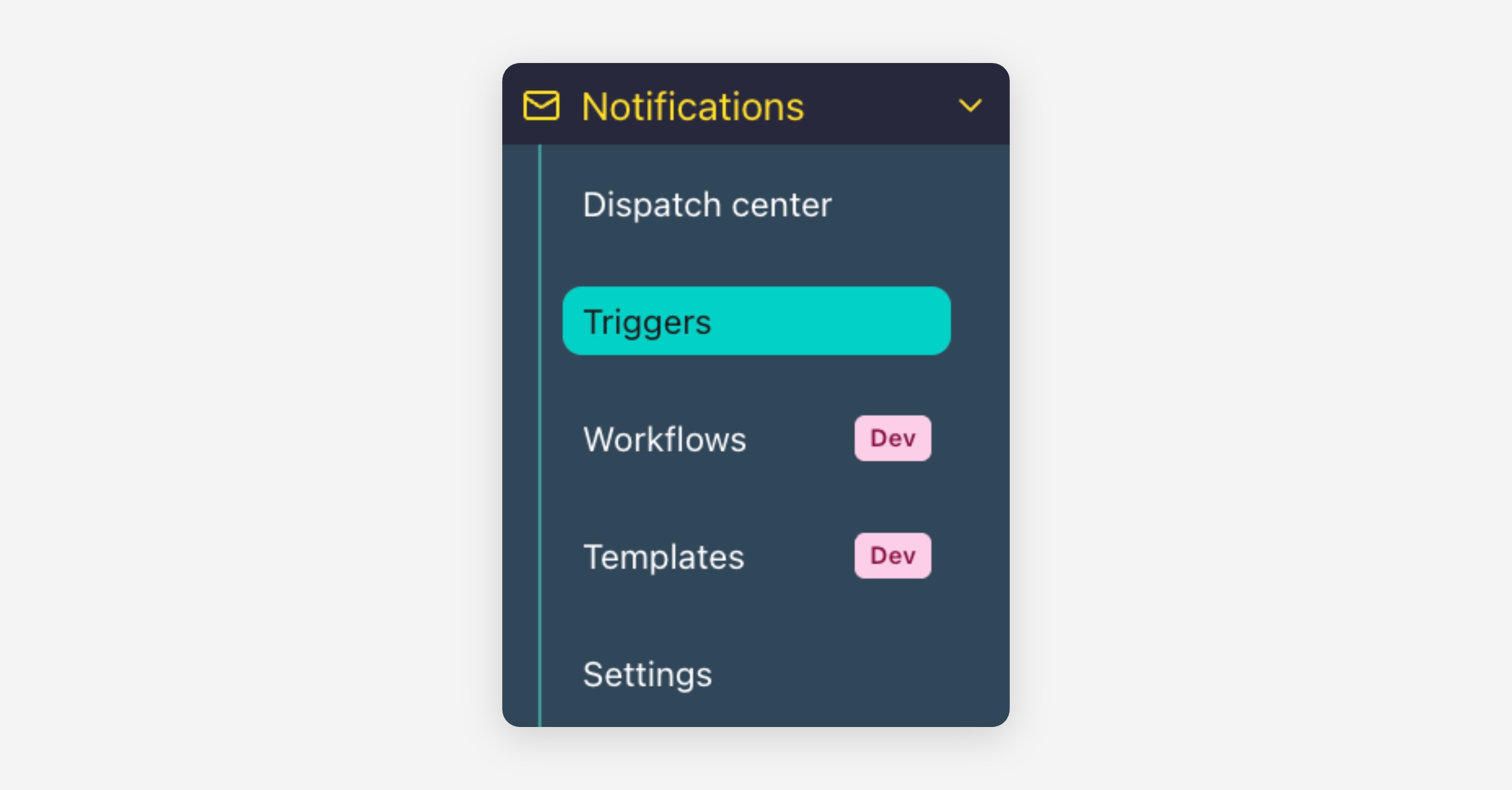
Here you can enable or disable notifications individually and choose how you'd like to receive them.
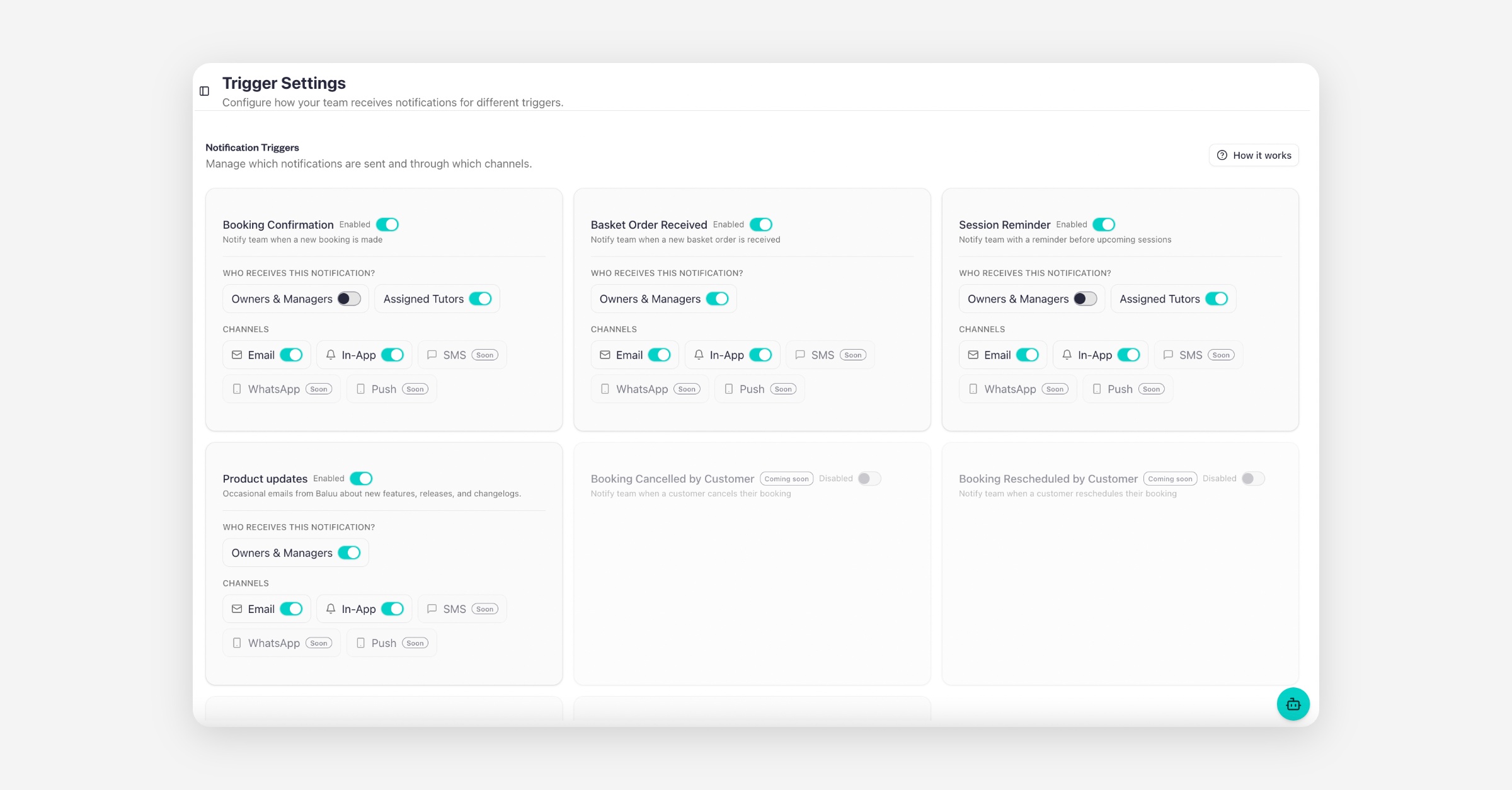
Available Notification Triggers
Depending on your account, you can configure notifications for events such as:
Booking Confirmation – Sent when a customer makes a new booking.
Basket Order Received – Sent when a customer completes a basket order.
Session Reminder – Reminds your team about upcoming sessions.
Product Updates – Receive updates about new Baluu features and improvements.
Additional triggers, such as Booking Cancelled by Customer and Booking Rescheduled by Customer, are also displayed and will become available in future updates.
Choose Who Receives Notifications
For each trigger, you can decide who should receive the notification, including:
Owners & Managers
Assigned Tutors
This ensures the right people are notified without sending unnecessary alerts to your entire team.
Select Notification Channels
Each trigger can be sent through one or more notification channels.
Current available channels include:
Email
In-App Notifications
You'll also notice upcoming channels marked as Coming Soon, including:
SMS
WhatsApp
Push Notifications
As these channels become available, you'll be able to enable them with a single click.
Enable or Disable Individual Triggers
Every notification trigger has its own enable/disable switch, allowing you to decide exactly which events generate notifications.
Was this helpful?