Early Access Events
With Baluu, you can create early access sessions — these are private sessions that are only available through a specific link. They won’t appear on your public booking page, meaning only customers with the link can view and book them.
This is perfect for:
VIP customers
Pre-sales or priority bookings
Private groups or invite-only sessions
How to create an early access session
To create an early access session (for example, a regular date session):
Go to Availability
Click Add session
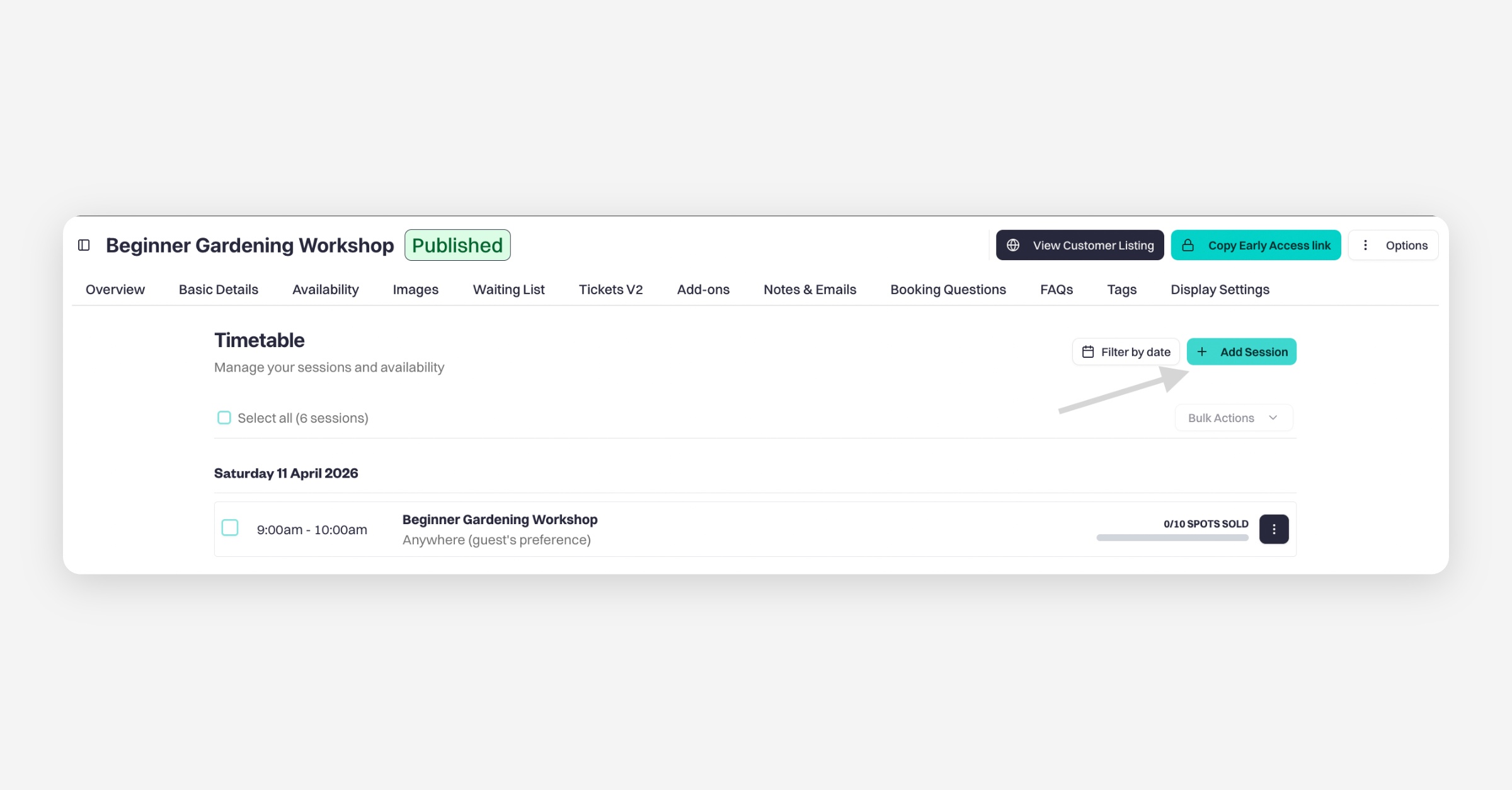
Enter your session details as usual
Tick “This session will only be visible via the early access link”
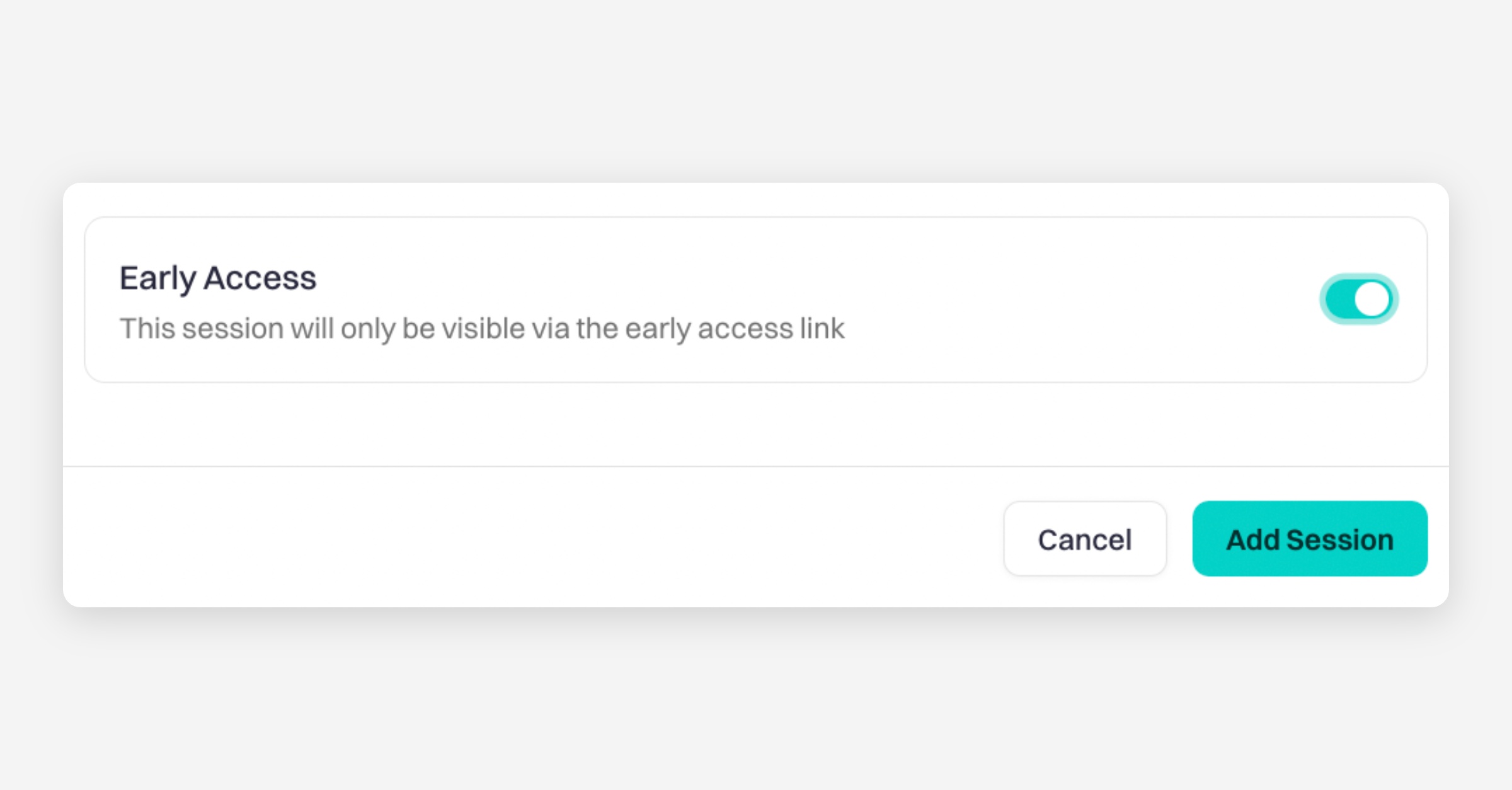
Add session
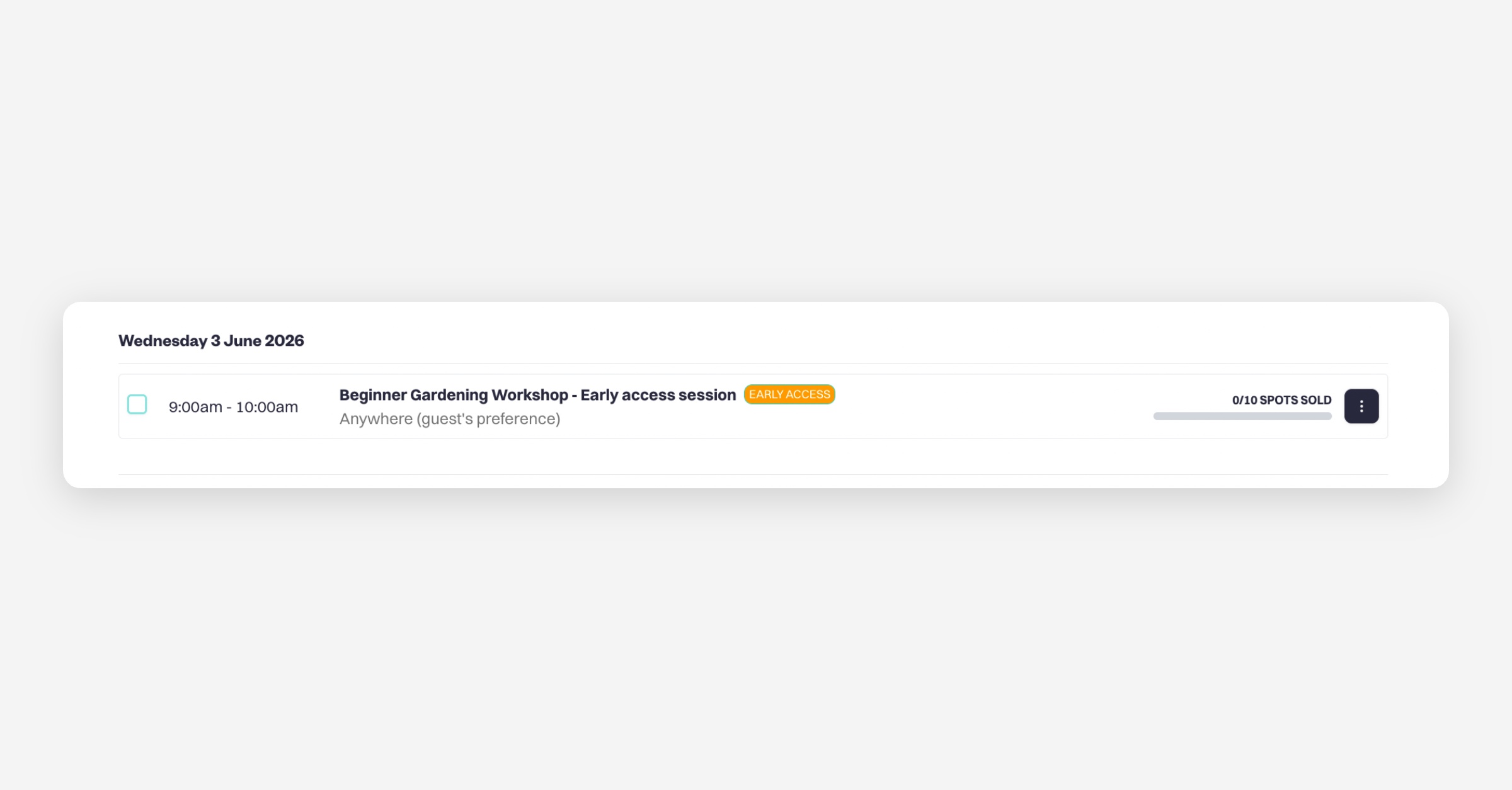
Once created, the session will appear in your calendar with a note showing that it is an early access session.
Managing early access sessions
You can update this at any time:
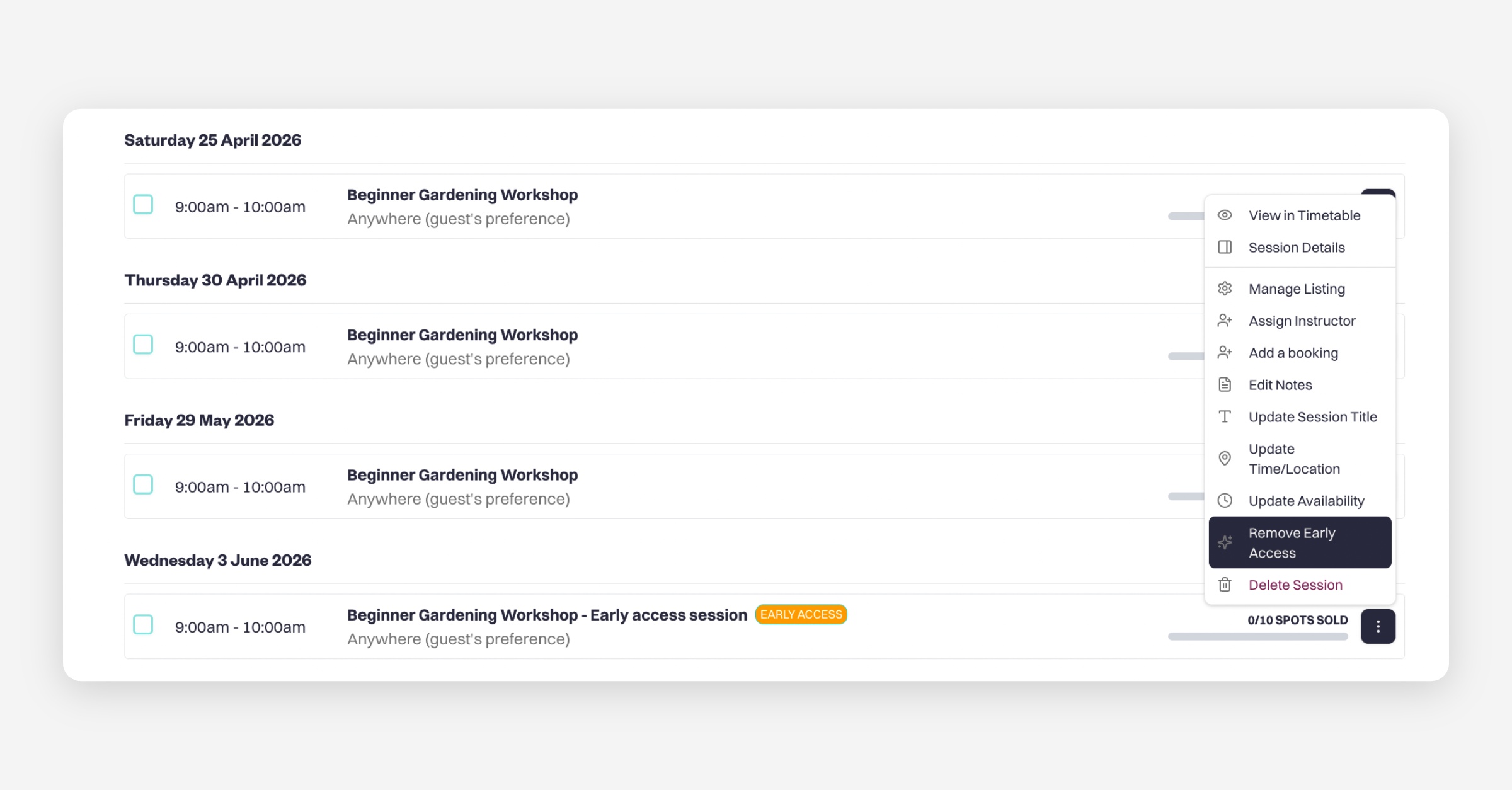
Click the three dots (⋯) next to the session
You can:
Remove early access status (making it public)
Or mark an existing session as early access
This gives you flexibility to switch between private and public availability whenever needed.
How to find and share the early access link
To access your early access sessions:
Go to your Availability page
At the top, click Copy early access link
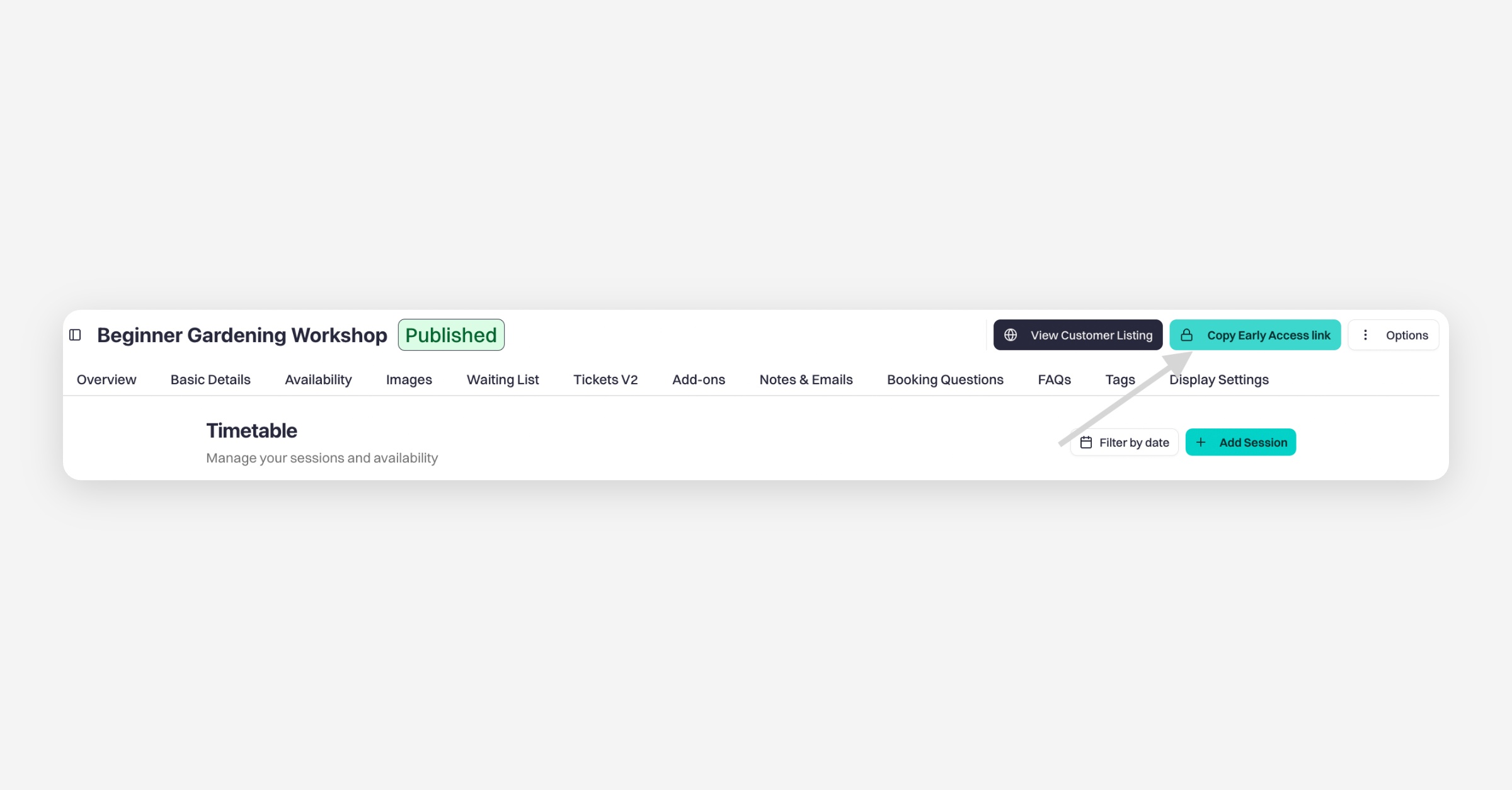
Paste the link into a browser
You’ll see all early access sessions listed there.
If you compare this with your standard booking page, you’ll notice:
Early access sessions are hidden from the public page
Only visible through the early access link
Sharing with customers
Simply send the early access link directly to your customers.
Anyone with the link will be able to:
View early access sessions
Book them as normal
Was this helpful?