Docs / Getting Started
How to Manage and Create Discount Codes?
Offering discounts is a great way to attract and retain customers. This guide will walk you through the process of creating and managing discount codes, ensuring your customers can enjoy special offers smoothly and effectively.
Creating a Discount Code:
Go to the Baluu Dashboard and select the 'Services' tab then select 'Discounts'.
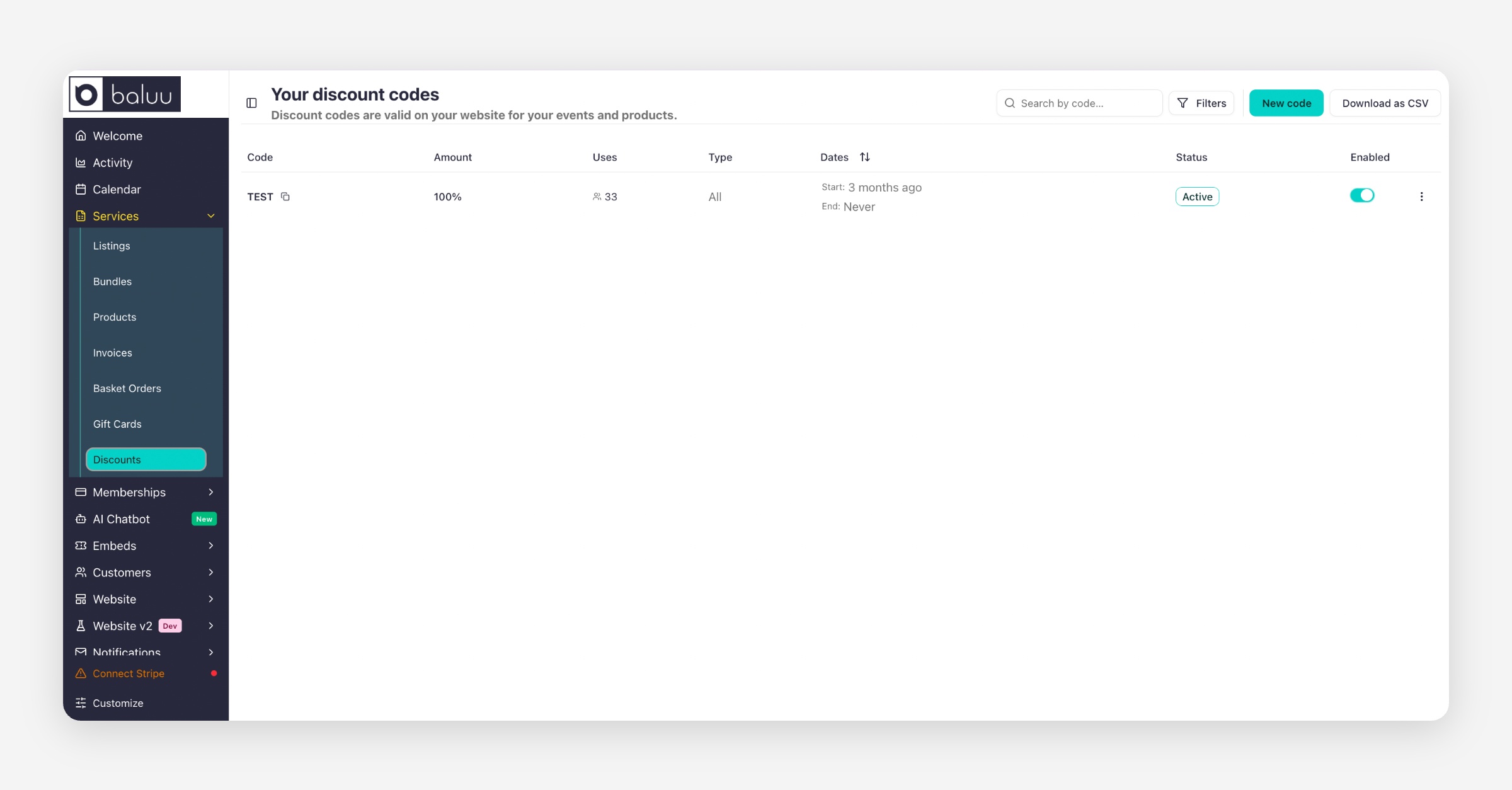
A new Discount page settings will open, select the 'New code' button to create a new discount code.
A new window will open with the 'Create A Discount Code' form please fill in all the required information and select the 'Create Discount' button at the bottom of the form. The discount code will appear immediately on the Discount Code list.
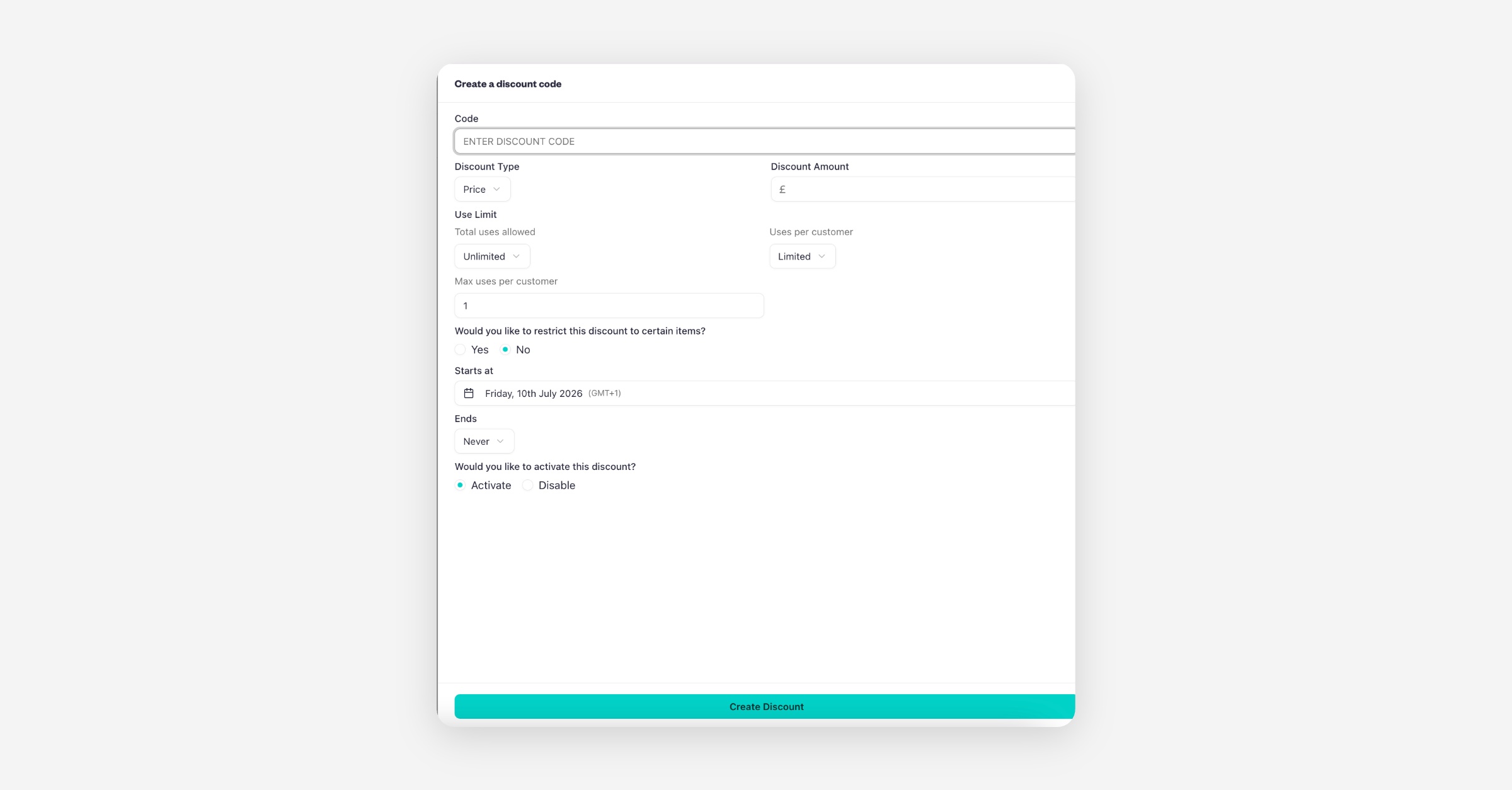
Total Uses Allowed indicates how many different customers can use the code.
Uses per Customer indicates how many times that same customer can use the code.
If you want your discount code to apply only to certain items, while creating the discount code you will come across a question asking, 'Would you like to restrict this discount code to certain items?' Simply click 'yes'. You'll then be posed the question, 'What would you like this discount to apply to?' Here, you can select whether the discount is for a product or an event. Moreover, you'll be able to decide whether the discount applies to all your products/events or just to a specific one.
How to Edit or Delete Current Discount Codes?
In your dashboard, navigate to the 'Services' section and select 'Discounts.'
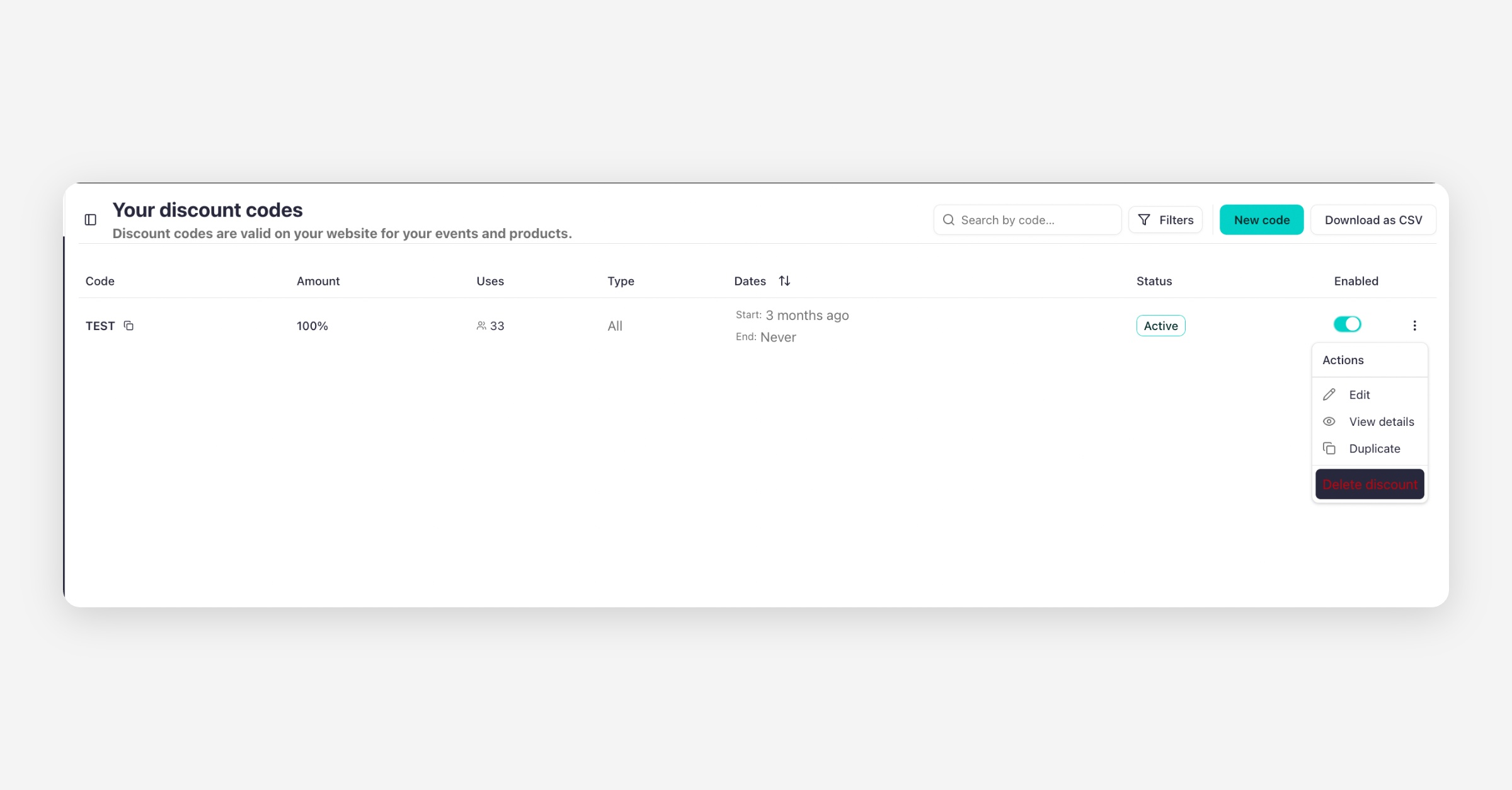
Find the discount code you wish to modify, and open the three-dot menu next to it. You can then choose to edit the details of the discount or delete it entirely.
Was this helpful?