BA
Baluu
    • How to Add a Regular Event?
    • What is Termly Event and How to Use It (trials and drop-ins)
    • How to Create an Appointment Event?
    • Managing Tickets & Pricing
    • Can I sell products on Baluu?
    • Notes & Auto-Emails
    • What happens when I get a booking?
    • Event FAQs
    • Booking Questions
    • Images
    • Logging into your Baluu Dashboard
    • Struggling to login
    • New article
    • Step-by-step guide to create your Baluu website
    • Getting Started: Understanding Availability Types
    • Calendar View
    • Managing Reviews and Post-Event Emails in Baluu
    • How Do I Create Gift Cards?
    • How to Manage and Create Discount Codes?
    • How to Add and Manage Team Members?
    • How to Access Invoice from Baluu and Manage Billing
    • Customer Login Centre - How customers can manage their bookings on Baluu
Docs / Getting Started

How to Add and Manage Team Members?

Add and manage team members, assign roles, and control access permissions.

Go to the Baluu Dashboard and select the 'Business' then 'Team' tab.

Then select “Add a New Member.”

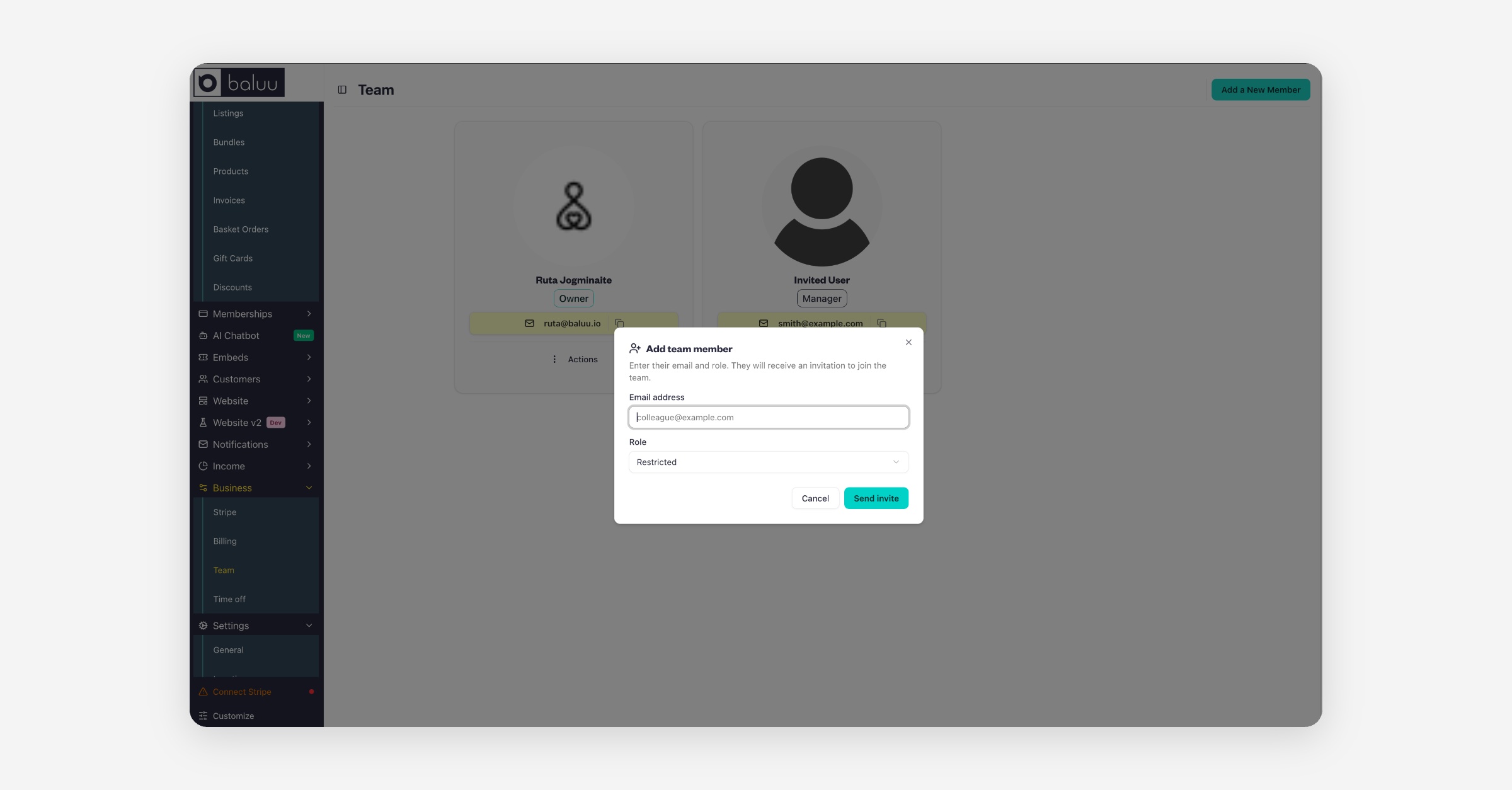
Enter their email and role. They will receive an invitation to join the team.
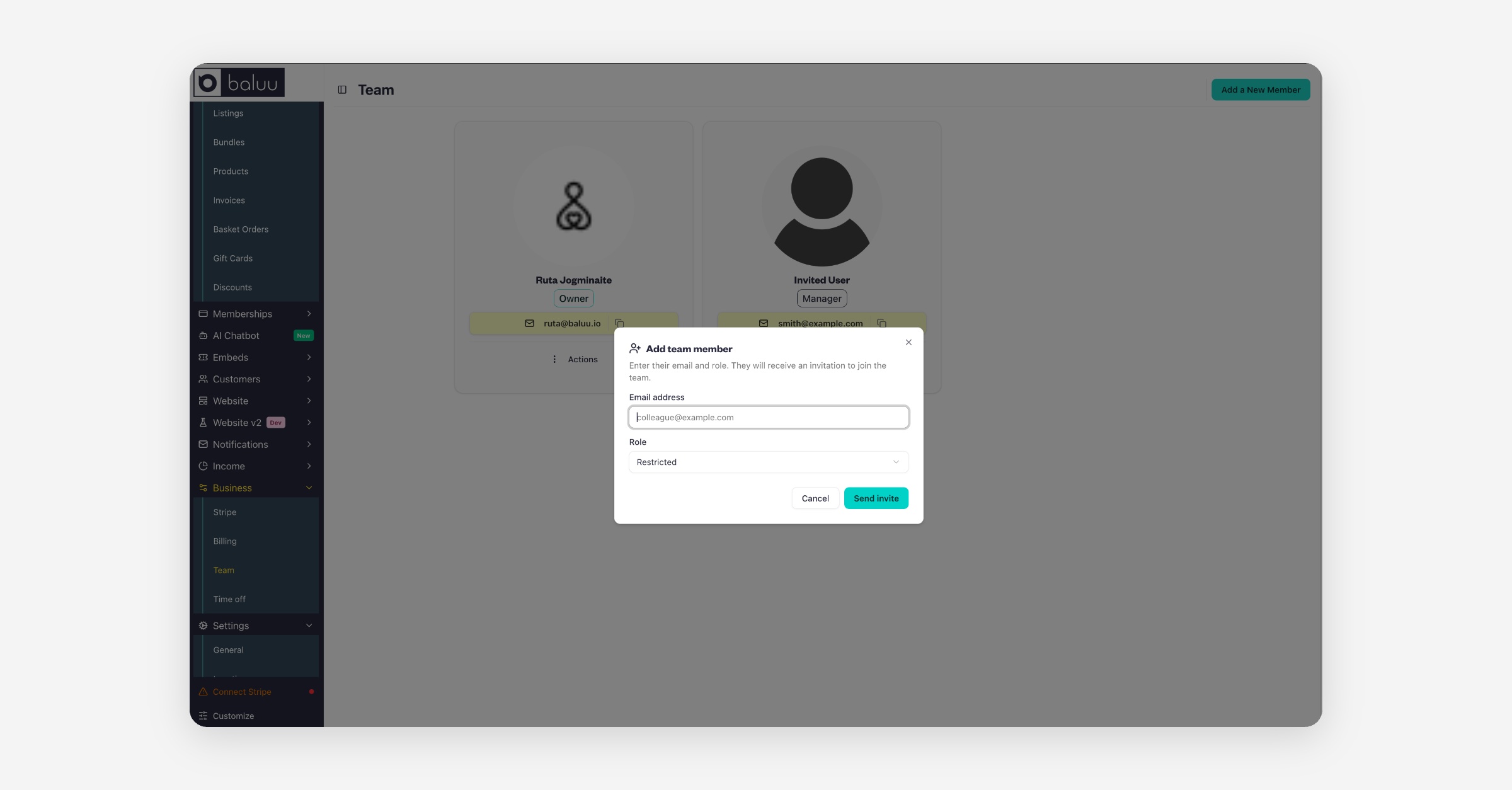
When they click 'confirm account', it will take them to the sign-in page. There, they need to click on the 'forgot password' link to create a new one.

Team members can be assigned different roles:

  • Admin (Owner)

  • Manager

  • General Staff

  • Restricted

On the right-hand side, you'll see the eye icon, which lets you preview your account as different user roles. This is a great way to see exactly what each role can access, helping you decide which permissions to assign to your team members.
PrevHow to Manage and Create Discount Codes?
NextHow to Access Invoice from Baluu and Manage Billing
Was this helpful?